
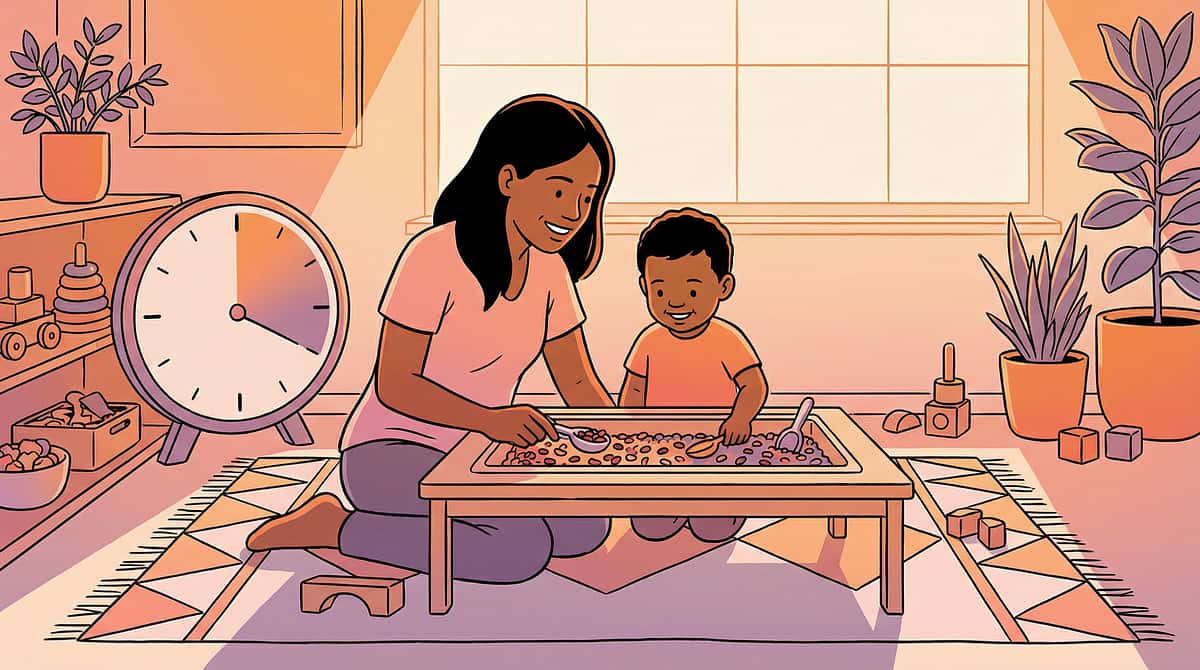
"We're Leaving in Five Minutes." He Heard the Words. But Time Has No Shape.
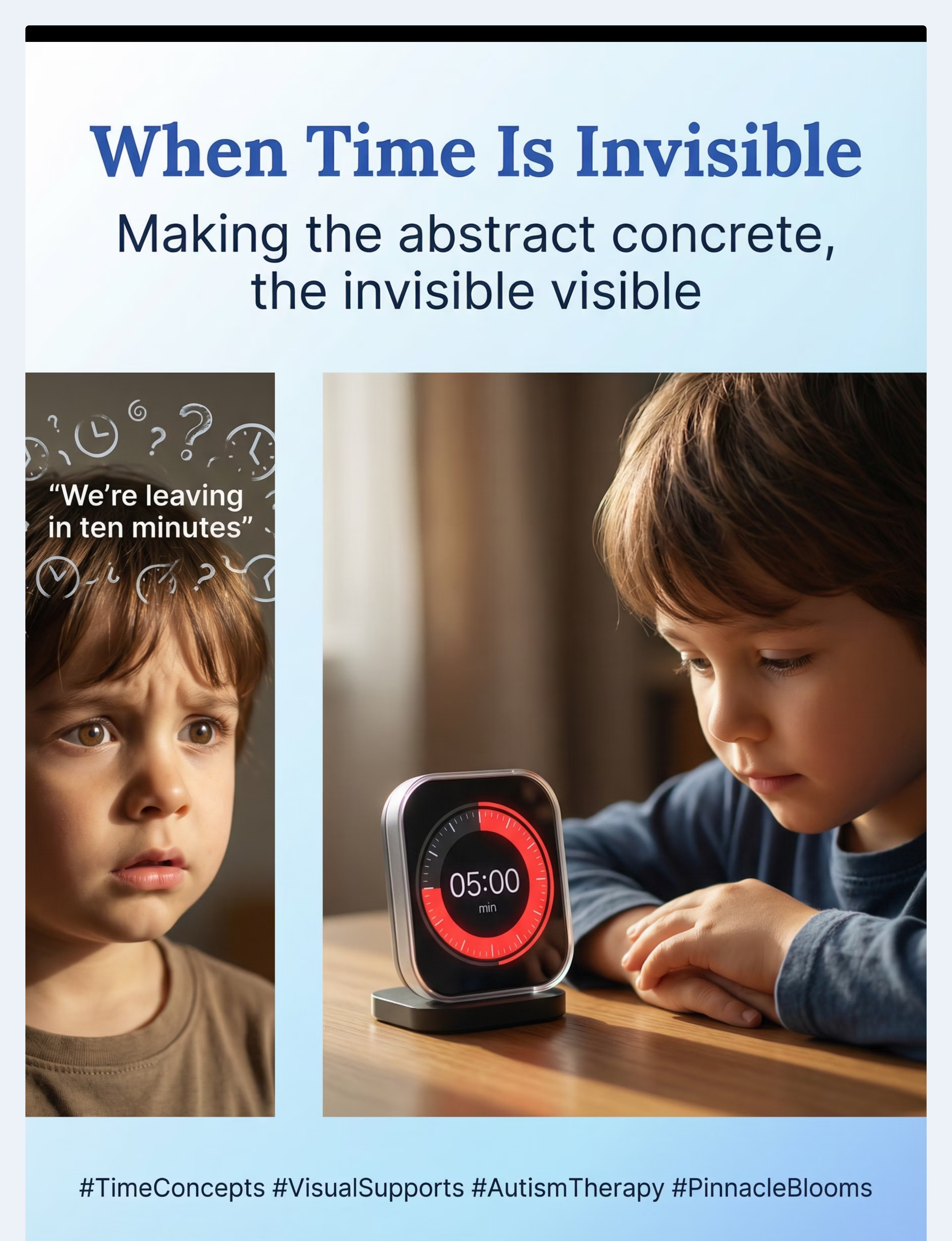
You say "five more minutes" and watch your child's face crumble into panic. Not defiance — terror. Because "five minutes" is as meaningless as "five forevers." You announce "we're going to grandma's tomorrow" and get a blank stare. Tomorrow doesn't exist yet. Yesterday and last month occupy the same foggy space.
Your child isn't ignoring you. Time itself is invisible to them — and invisible means incomprehensible. This is temporal concept difficulty. And it has a name, a neuroscience, and nine materials that make the invisible visible.
Pinnacle Blooms Consortium® | Validated by CRO • SLP • OT • BCBA • SpEd • NeuroDev
"You are not failing. Your child's nervous system is processing time differently — and we know exactly how to make it visible."
"You are not failing. Your child's nervous system is processing time differently — and we know exactly how to make it visible."

The Numbers
You Are Not Alone: Millions of Families Navigate This Every Day
Time confusion affects daily routines, school readiness, and family functioning across millions of households worldwide. In Pinnacle Blooms Network's 21 million+ therapy sessions across 80+ centres, temporal concept difficulty is one of the most frequently addressed cognitive targets — and one of the most responsive to structured visual intervention.
70–80%
of children with autism
experience difficulty with abstract temporal concepts including "before," "after," "soon," and "later." Source: PMC8293801
1 in 100
children globally
are on the autism spectrum, with temporal understanding being one of the most common cognitive challenges reported by parents. Source: WHO (2023)
18M+
Indian families
navigate autism-related challenges daily. Time confusion affects every one of these households. Source: Lancet India + ICMR Data
PRISMA systematic review (2024): Sensory and cognitive processing difficulties affect the vast majority of children diagnosed with autism. Meta-analysis across 24 studies confirms structured intervention effectiveness. References: PMC11506176 | PMC10955541

What's Happening in Your Child's Brain
Time isn't perceived by a single brain region — it's assembled by a network. When your child can't understand "five minutes," here's what's actually happening in four interconnected systems:
The Prefrontal Cortex — The Planner
Manages executive function, planning, sequencing, and anticipating future events. In many children with autism, prefrontal connectivity develops on a different timeline, making future-oriented thinking genuinely difficult.
The Hippocampus — The Sequencer
Responsible for encoding temporal order — what happened first, what happened next. When hippocampal-prefrontal communication is atypical, "yesterday" and "last week" genuinely occupy the same mental space.
The Cerebellum — The Internal Clock
Houses the brain's timing mechanisms for perceiving duration. Cerebellar differences in autism directly affect the ability to estimate how long something takes.
The Basal Ganglia — The Rhythm Keeper
Maintains interval timing — the sense of seconds and minutes passing. Differences here explain why "wait one minute" feels like an eternity.
Key Insight: "This is a wiring difference, not a behaviour choice. Visual supports work because they bypass the invisible internal clock and create an external, visible one." — Pinnacle Blooms Consortium

Developmental Context
Where This Sits in Development
Children with autism often show 2–4 year delays in temporal understanding. A 6-year-old may process time like a typically developing 3-year-old. This is NOT a ceiling — it's a starting point. With structured visual supports, these skills build systematically.
1
Age 1–2: "Now"
Routine-based time sense. Anticipation of immediate events (hearing car keys = going somewhere).
2
Age 2–3: First/After
Basic past ("before") and future ("after") concepts emerge. "First-then" understanding begins.
3
Age 3–4: ⚡ Challenge Zone
Understanding of "today," "yesterday," "tomorrow" begins. Can follow simple visual schedules.
4
Age 4–5: Days & Weeks
Days of the week, basic calendar awareness. Can sequence 3–4 events in order. Understands morning/afternoon/night.
5
Age 5–7: Clock Awareness
Clock awareness begins. Can estimate familiar durations. Understands weeks, months, seasons with support.
6
Age 8–12: Full Clock
Full clock reading. Can plan using time. Understands historical time, future planning, and abstract temporal concepts.
Temporal concept difficulty commonly co-occurs with: executive function challenges, transition anxiety, behavioural rigidity, and expressive language delays. Source: WHO Care for Child Development Package | PMC9978394

Evidence Grade
The Evidence Behind This Technique
Evidence Grade: Level I–II
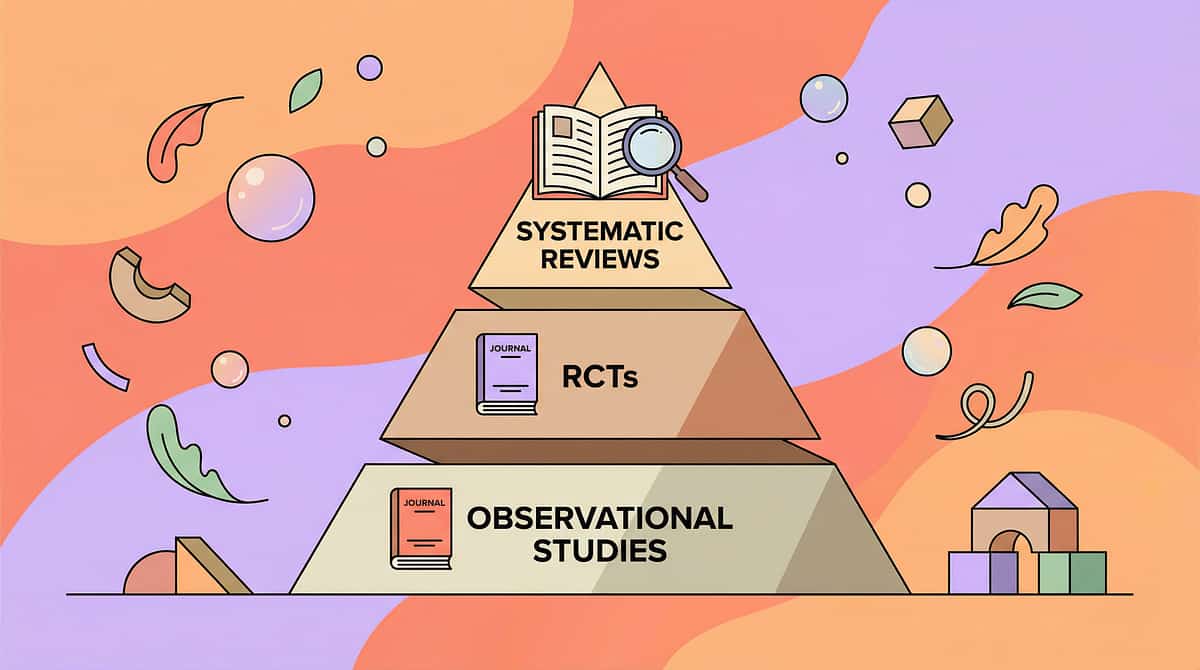
★★★★☆ Systematic Reviews + Controlled Studies
Strong evidence base across multiple study designs. Visual supports for temporal understanding are among the most robustly validated interventions in autism therapy.
85%
Confidence Rating
Study 1: NCAEP (2020)
Visual supports classified as an established evidence-based practice for individuals with autism across all age groups. Highest criteria for evidence classification.
Study 2: PRISMA Review (2024)
16 articles (2013–2023) confirm structured cognitive interventions as EBP for children with ASD. Effect sizes: moderate to large. Reference: PMC11506176
Study 3: Meta-Analysis (2024)
24 controlled studies demonstrate structured interventions effectively promote cognitive skills, adaptive behaviour, and executive function in autism. Reference: PMC10955541
Study 4: Indian RCT (2019)
Home-based structured interventions by trained parents showed significant improvement in Indian paediatric populations with ASD. DOI: 10.1007/s12098-018-2747-4
"Clinically validated. Home-applicable. Parent-proven. Across 21 million+ therapy sessions at Pinnacle Blooms, visual temporal supports are prescribed by every discipline in our consortium."
The Technique
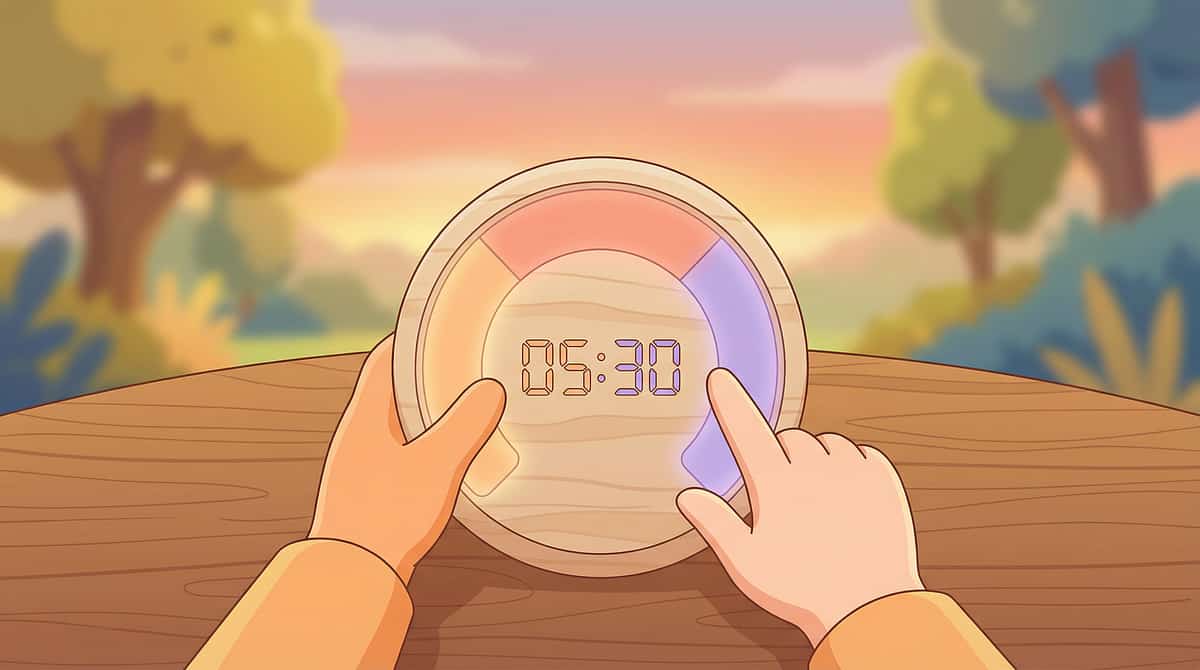
Time Concept Understanding Through Visual Supports
Formal Name: Visual Temporal Support Intervention
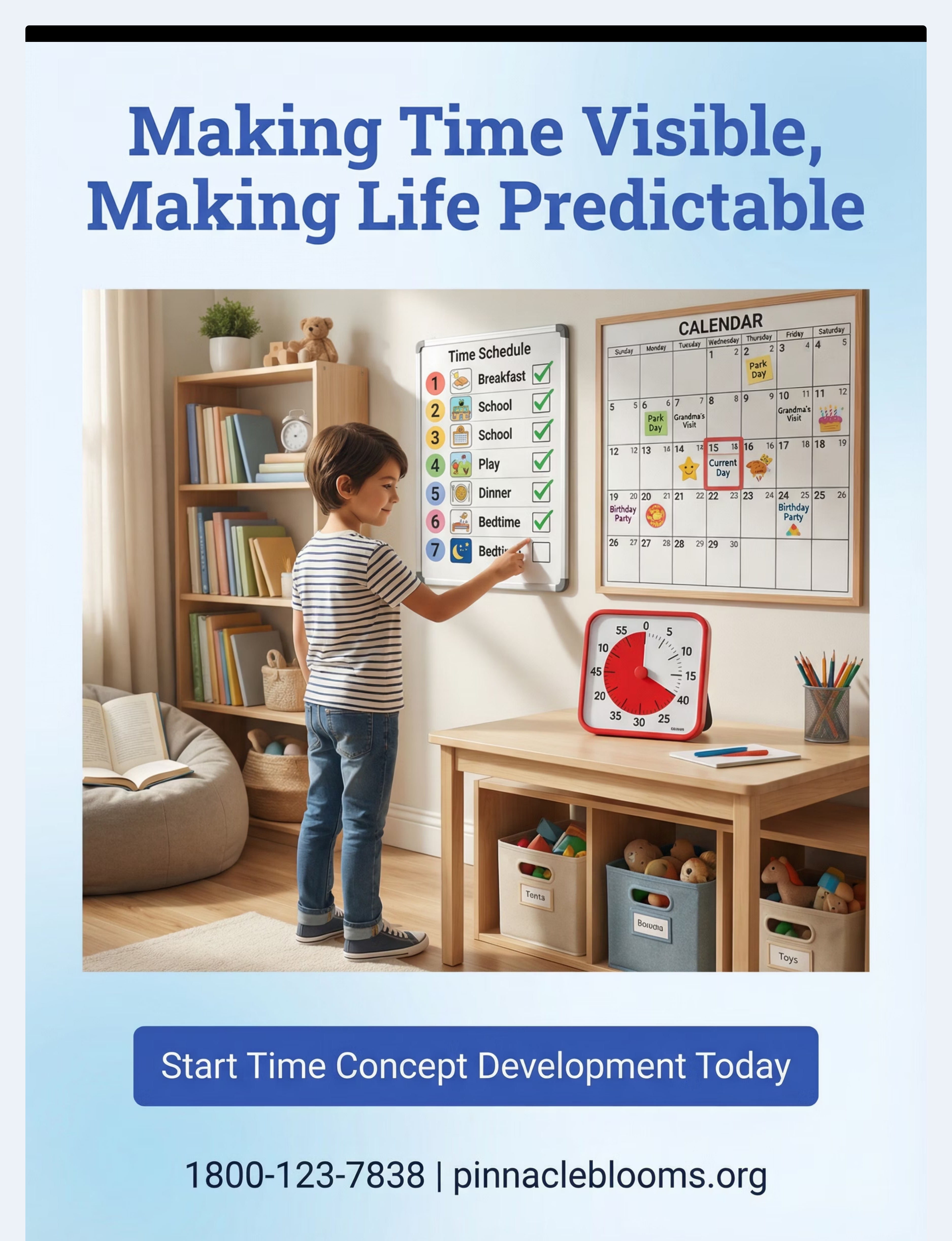
Parent-Friendly Name: "Making Time Visible"
Parent-Friendly Name: "Making Time Visible"
A structured intervention approach using nine categories of visual materials to transform abstract time concepts into concrete, visible, and manipulable experiences. This technique builds temporal understanding progressively — from immediate duration through sequential understanding to extended time awareness. Each material creates an external visual clock that compensates for the internal temporal processing differences common in autism.
🧠 Cognitive Development
⏰ Temporal Understanding
🔄 Executive Function
📅 Daily Living Skills
Age: 3–12 years
Duration: 5–20 min/session
Frequency: Multiple times daily
Settings: Home, School, Therapy, Community
Who Uses This
The Multi-Disciplinary Team Behind This Technique
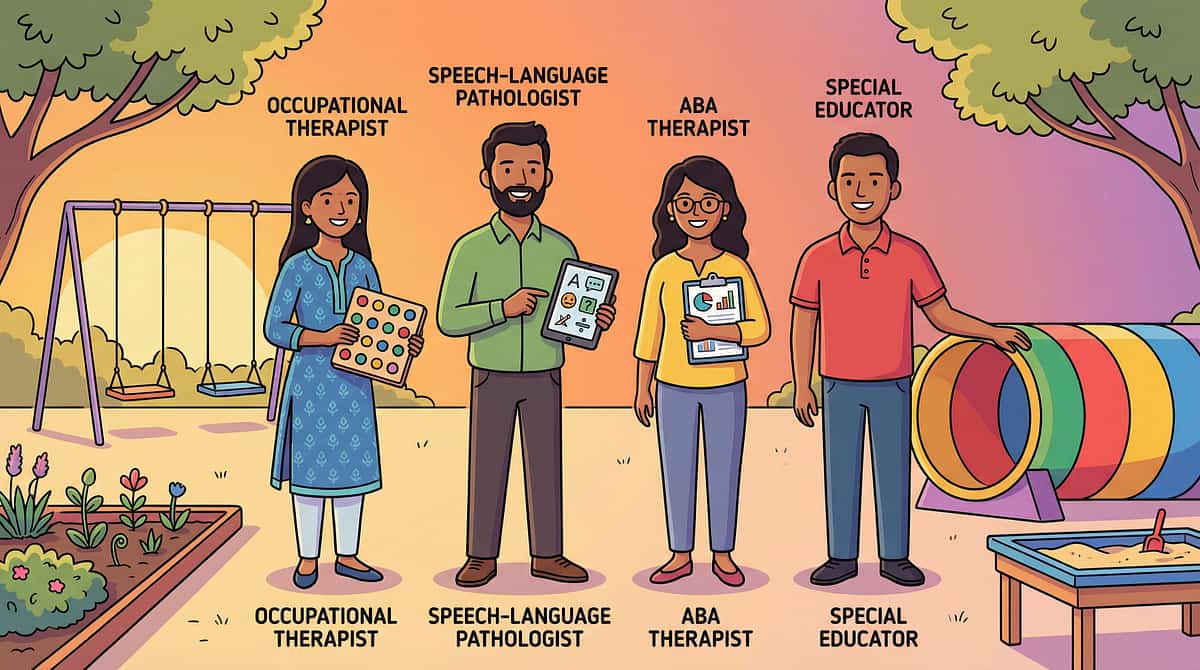
This technique crosses therapy boundaries because the brain doesn't organise by therapy type. When your OT uses a visual timer during dressing practice and your SLP uses the same timer during speech exercises, your child's brain builds one unified temporal framework — not two separate ones.
Special Educator (SpEd) — Primary Lead
Designs temporal concept curricula, sequences learning targets from concrete to abstract, and creates individualised time-learning progressions. They lead the cognitive architecture of time understanding.
Speech-Language Pathologist (SLP)
Targets temporal language — "first," "then," "before," "after," "yesterday," "tomorrow," "while," "during." SLPs ensure children can discuss, request, and narrate temporal experiences.
Board Certified Behaviour Analyst (BCBA)
Uses visual temporal supports as antecedent interventions to reduce transition-related behaviours. Visual timers function as discriminative stimuli; first-then boards serve as motivating operations.
Occupational Therapist (OT)
Integrates temporal supports into daily living skill routines — using visual schedules for morning routines, timers for task completion, and sequence strips for multi-step activities.
Therapeutic Targets
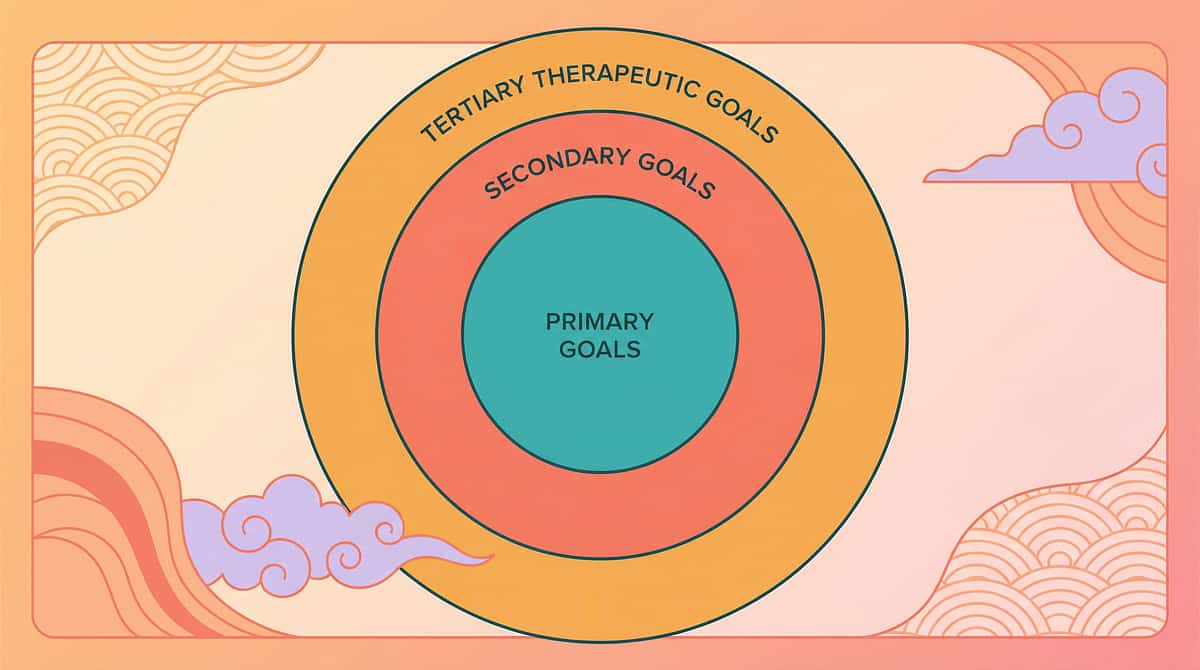
What This Technique Targets
1
🎯 Primary: Temporal Concept Understanding
The ability to perceive, sequence, estimate, and navigate time-based information. Observable: child can wait with timer support, follows visual schedule independently, uses temporal language, anticipates routine transitions.
2
🔵 Secondary: Transition & Sequence Skills
- Transition tolerance — Reduced anxiety during activity changes
- Sequential reasoning — Ordering events logically (before/after/during)
- Waiting skills — Delaying gratification with visual countdown
- Routine independence — Self-directed daily activity completion
3
🟢 Tertiary: Broader Development
- Executive function — Planning, organising, initiating tasks
- Expressive language — Temporal vocabulary and narrative skills
- Emotional regulation — Reduced anxiety through predictability
- Academic readiness — Schedule following, task completion, calendar skills
Observable Indicators of Progress: Child references visual timer without prompting ✓ Child checks schedule and moves to next activity independently ✓ Child uses "first," "then," "next," "after" in spontaneous speech ✓ Transition meltdowns decrease by 50%+ within 4 weeks of consistent use
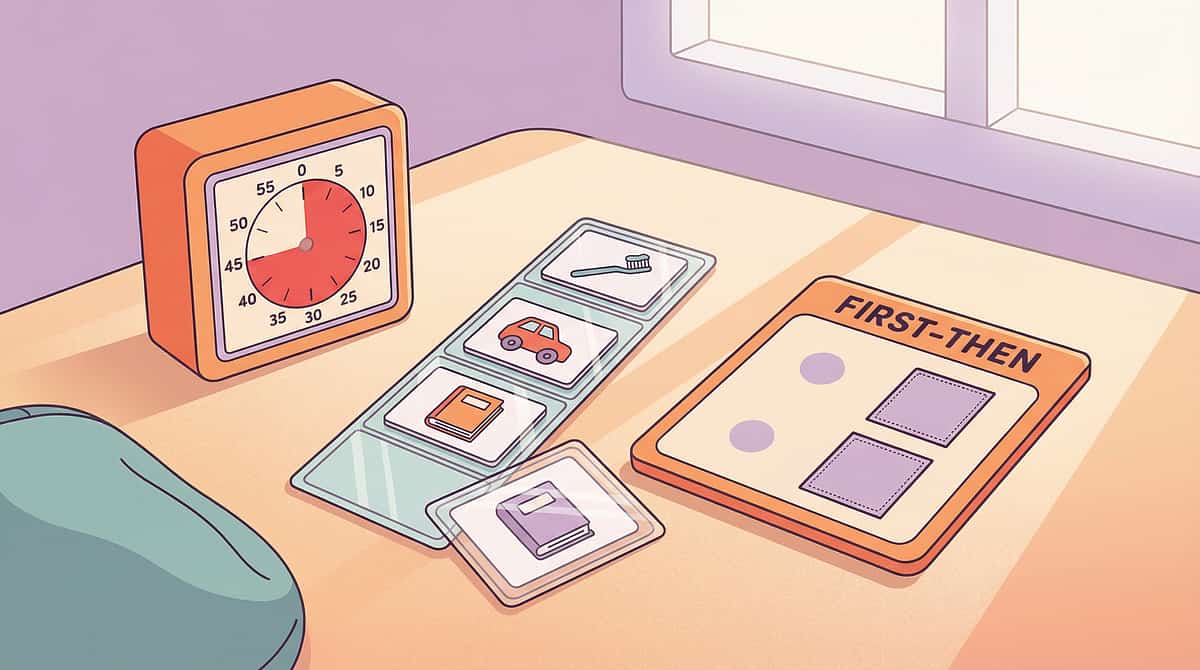
Materials 1–3
What You Need: The 9 Core Materials (Part 1)
The complete toolkit spans nine evidence-based visual materials. Begin with the Starter Kit (Materials 1–3) before adding others. All materials have free DIY alternatives — see Card 10.
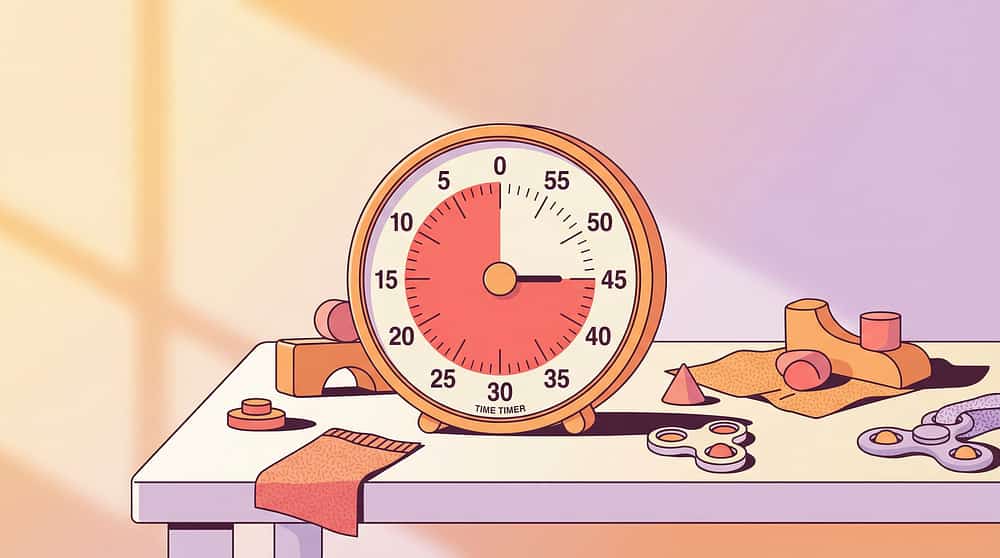
1. Visual Timer with Disappearing Display
Canon #087 | Time Timer®, sand timers, digital visual countdown timers
Price: ₹800–3,000 | Amazon.in
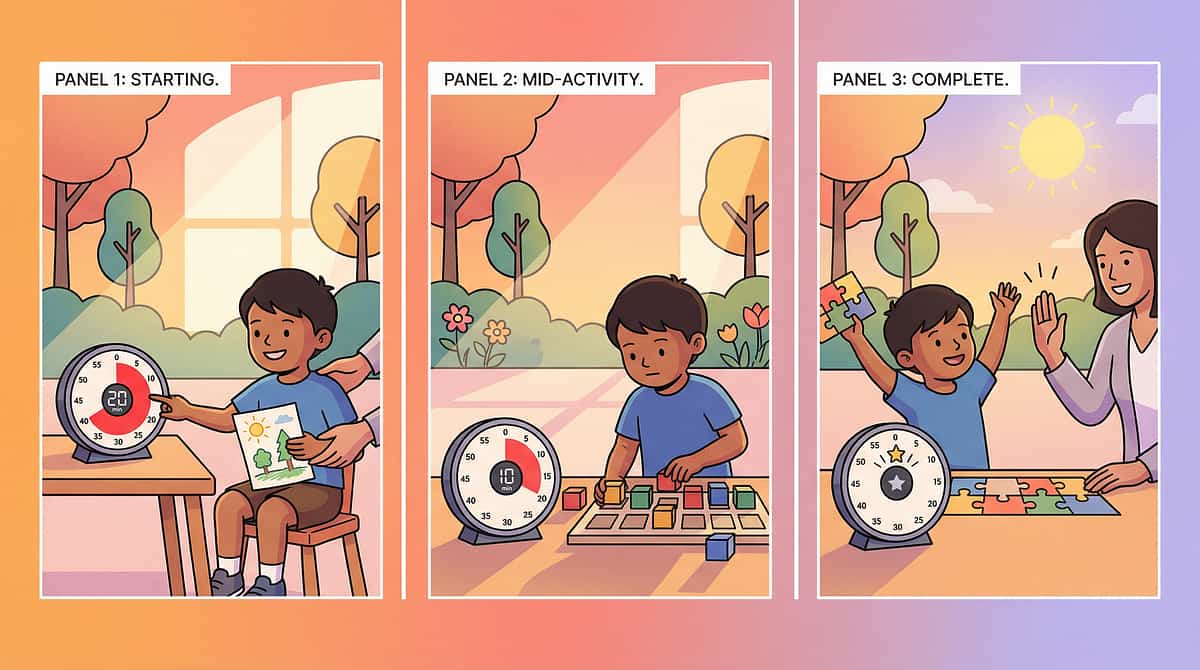
The foundational tool. Shows duration visually — the red section shrinks as time passes. Start here. Use for preferred activities first.
Price: ₹800–3,000 | Amazon.in
The foundational tool. Shows duration visually — the red section shrinks as time passes. Start here. Use for preferred activities first.
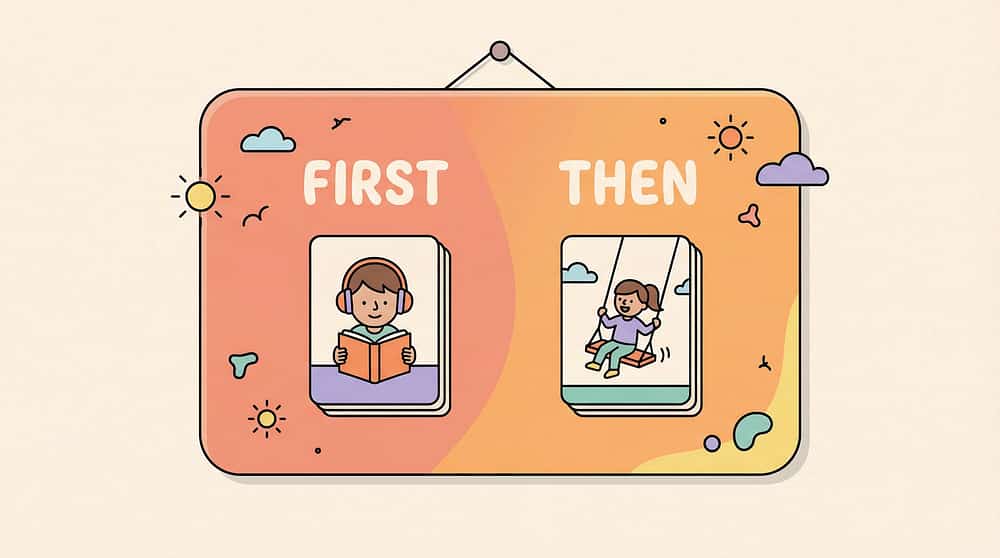
2. First-Then Board
Canon #086 | Acrylic first-then boards with Velcro, magnetic sequence boards, portable first-then cards
Price: ₹300–1,000 | Amazon.in
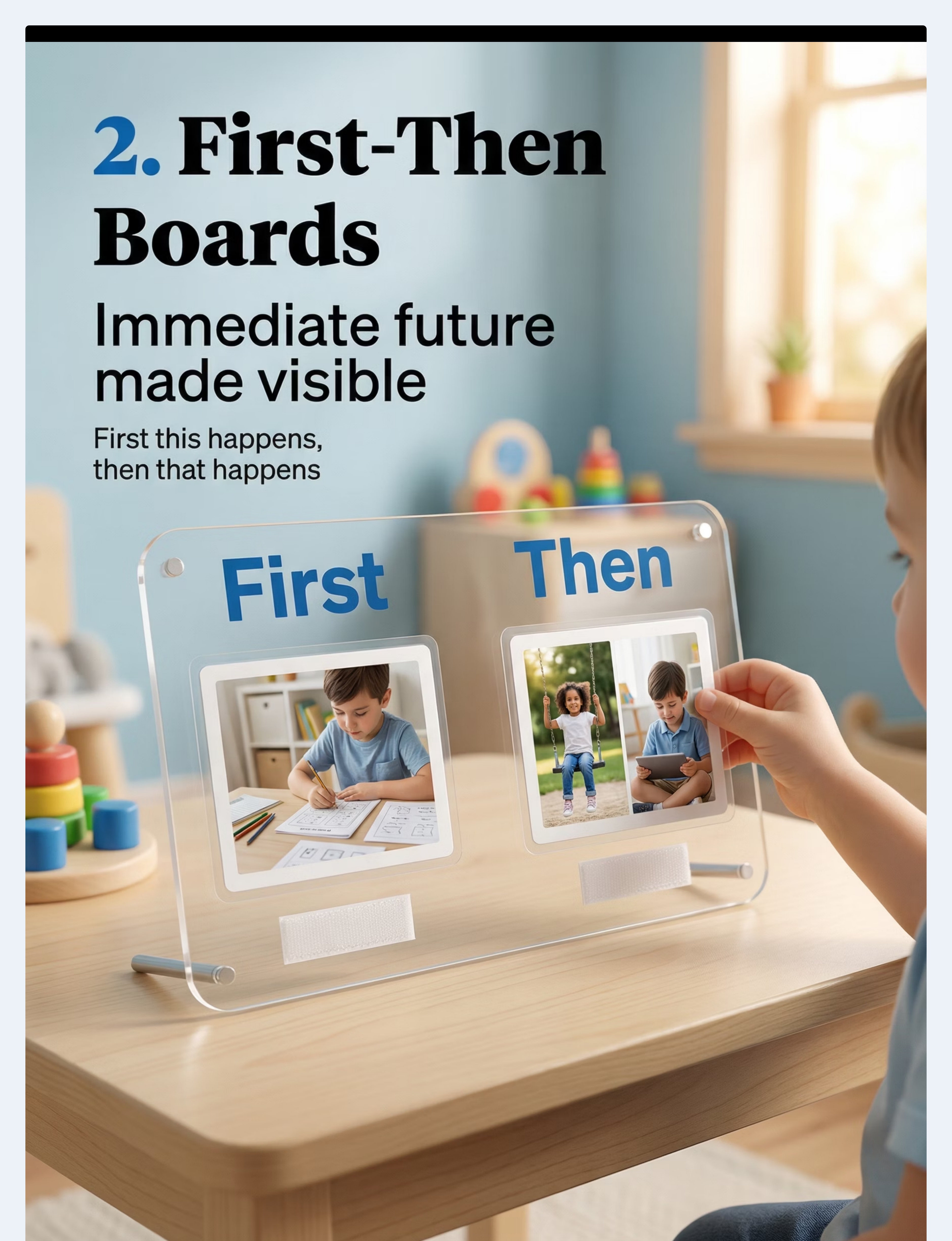
The transition bridge. Shows the child exactly what happens first and what comes next, reducing transition anxiety immediately.
Price: ₹300–1,000 | Amazon.in
The transition bridge. Shows the child exactly what happens first and what comes next, reducing transition anxiety immediately.

3. Visual Daily Schedule System
Canon #085 | Magnetic daily planners, Kizoplay Habit Board, SNOWIE SOFT® Schedule Planning Chart
Price: ₹500–1,500 | Amazon.in
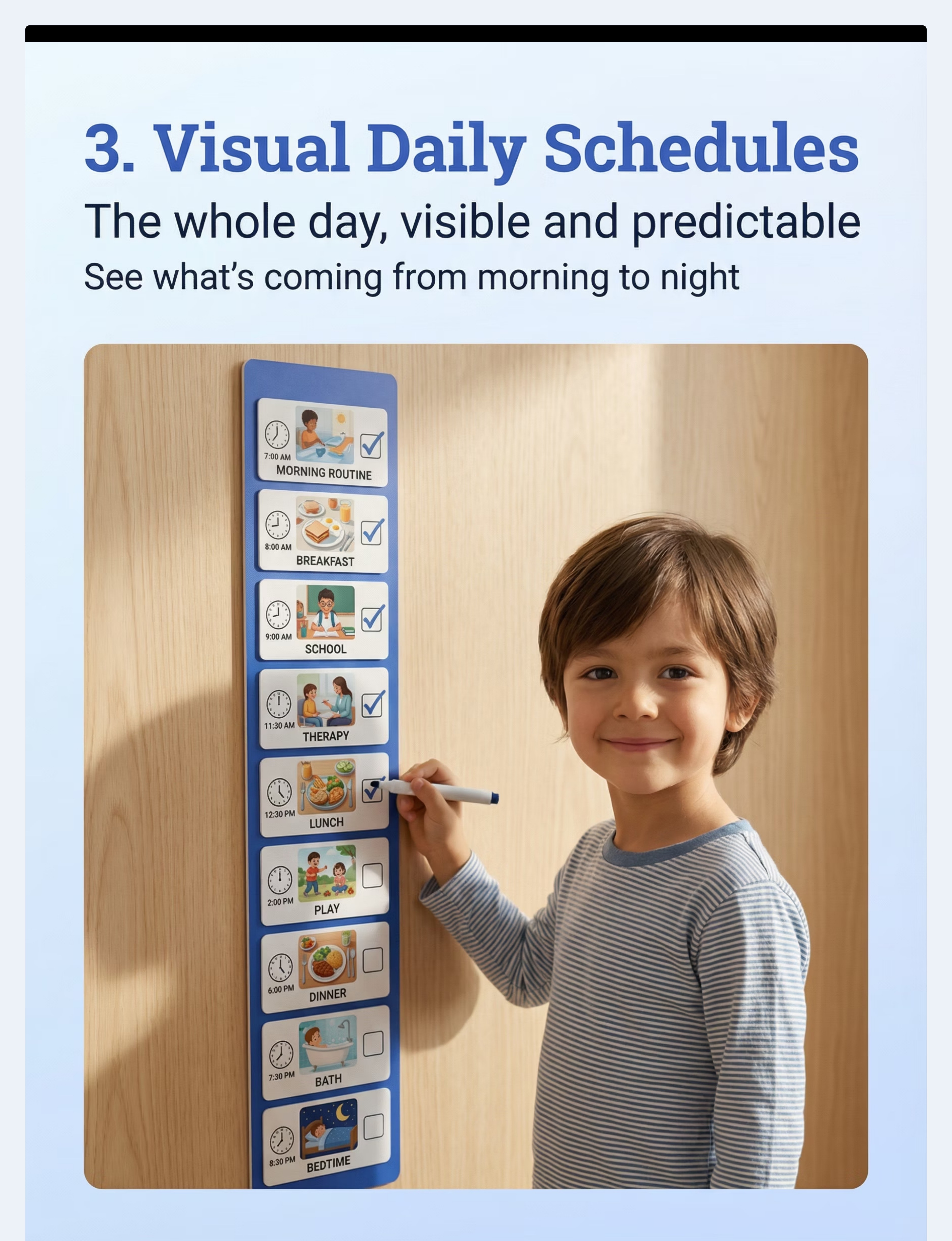
The full-day roadmap. Shows the entire day's sequence so the child always knows what's coming next.
Price: ₹500–1,500 | Amazon.in
The full-day roadmap. Shows the entire day's sequence so the child always knows what's coming next.

Materials 4–6
What You Need: The 9 Core Materials (Part 2)
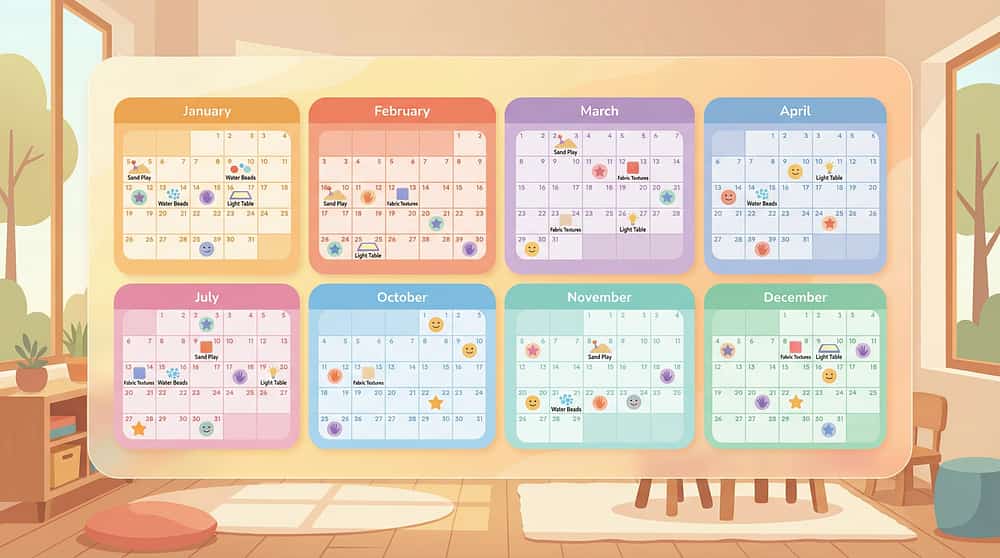
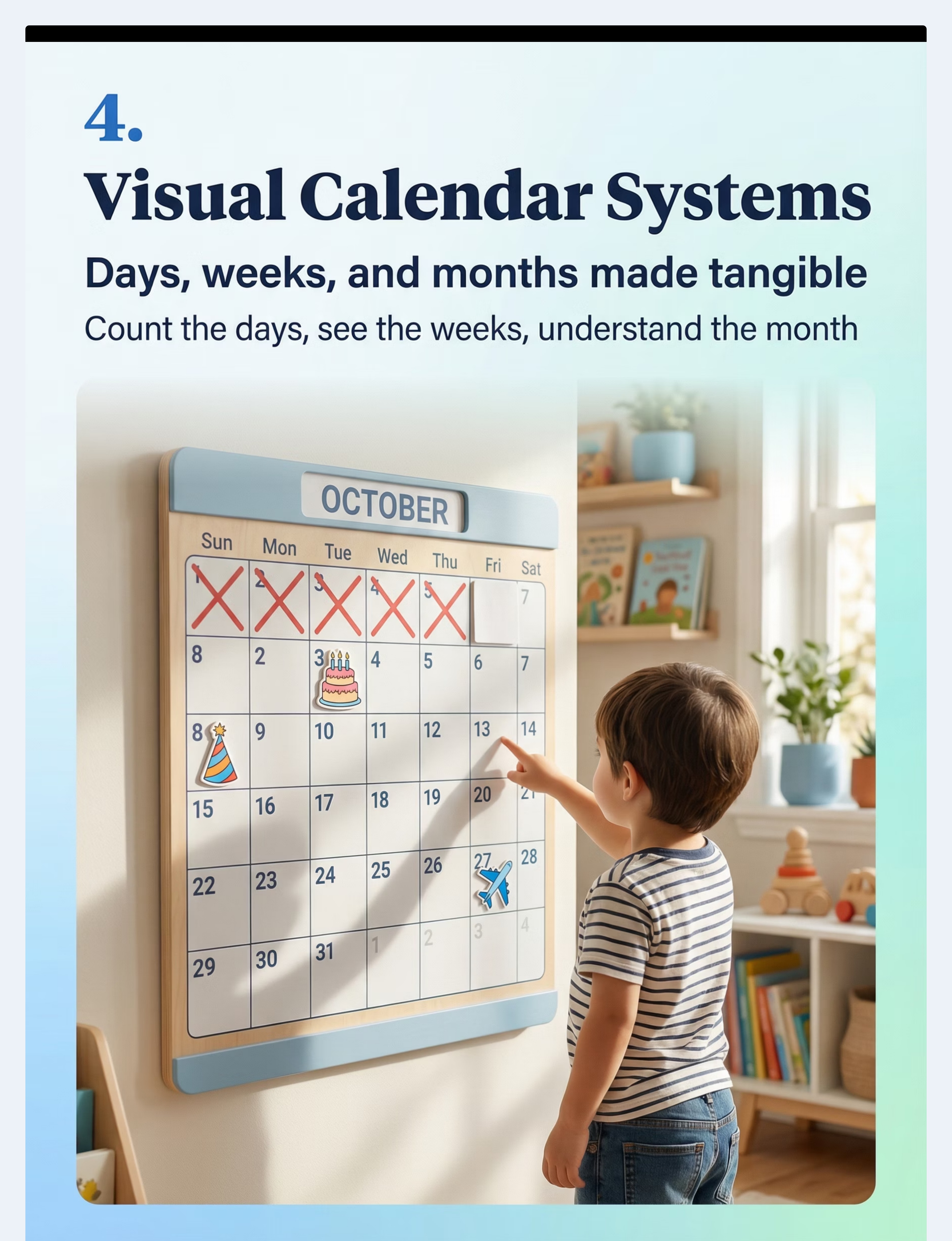
4. Calendar System with Visual Markers
Canon #085 + #069 | IVEI Activity Calendar with Whiteboard & Pin Board, jumbo calendar busy board
Price: ₹400–1,200 | Amazon.in
Extends time understanding to weeks and months. Cross off each day together. Count "sleeps" to exciting events.
Price: ₹400–1,200 | Amazon.in
Extends time understanding to weeks and months. Cross off each day together. Count "sleeps" to exciting events.
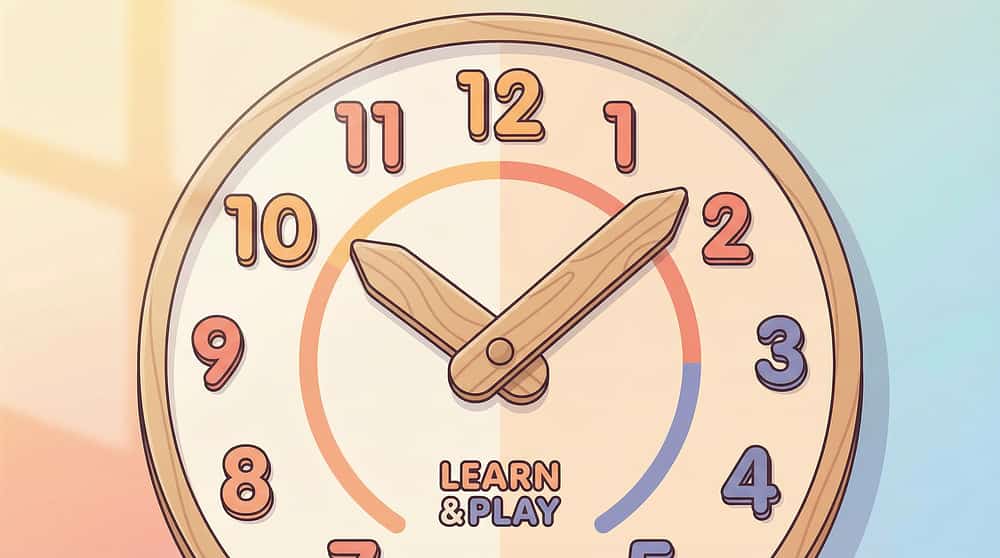
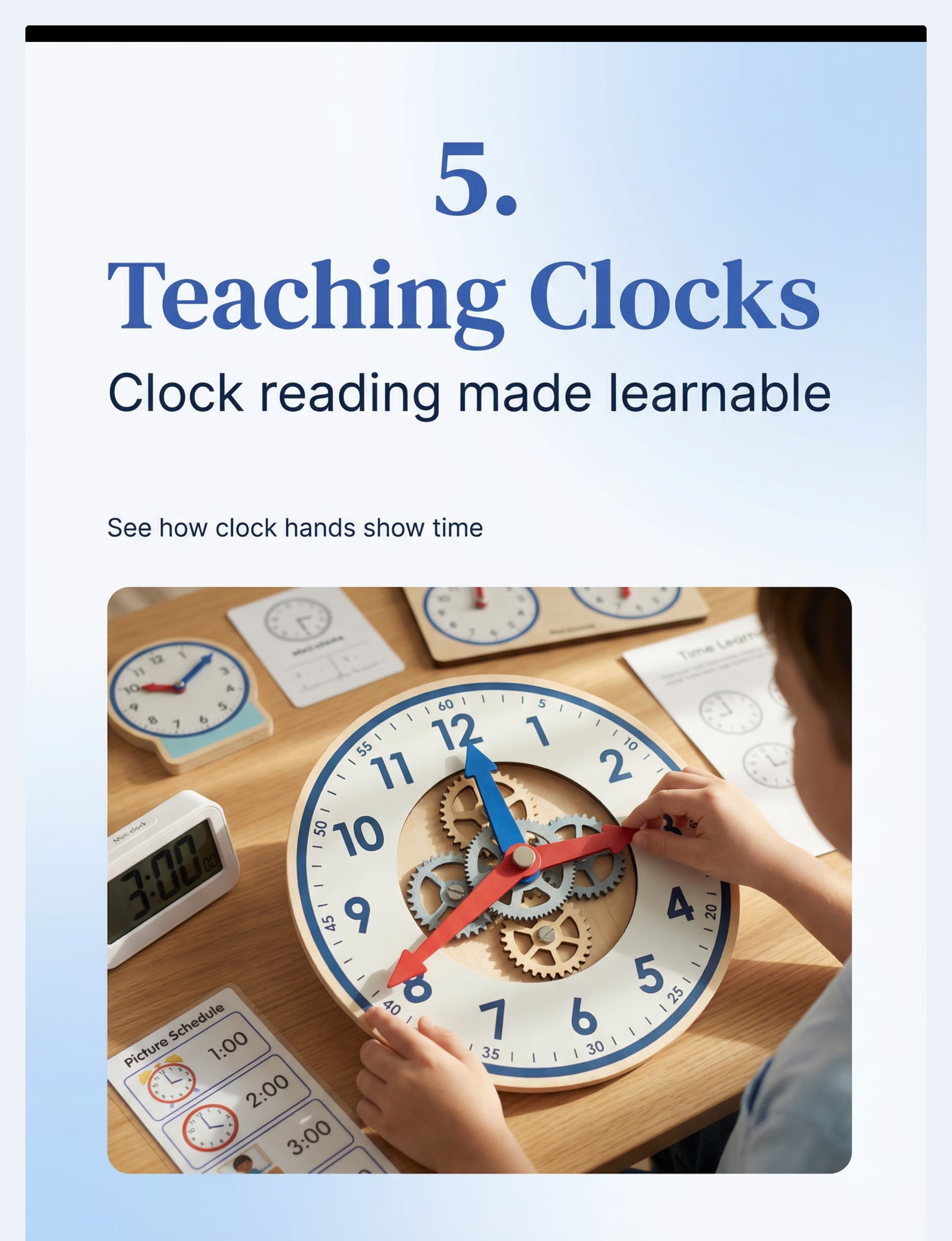
5. Teaching Clock
Canon #070 | Smartivity DIY Interactive Clock, Tantrums Wooden Learning Clock (Montessori)
Price: ₹300–1,000 | Amazon.in
Introduces clock concepts only AFTER visual timer mastery. Colour-coded hands make hour/minute distinction concrete.
Price: ₹300–1,000 | Amazon.in
Introduces clock concepts only AFTER visual timer mastery. Colour-coded hands make hour/minute distinction concrete.
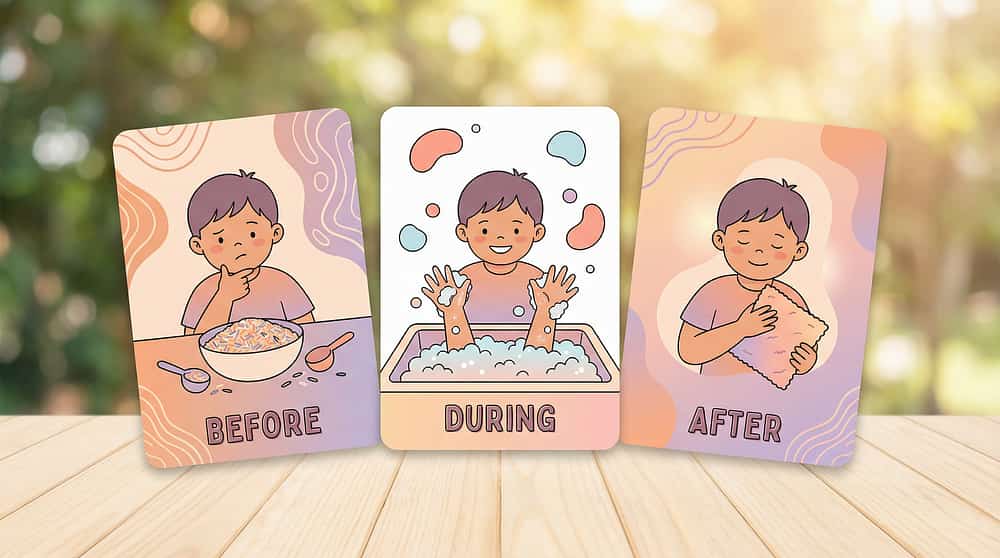
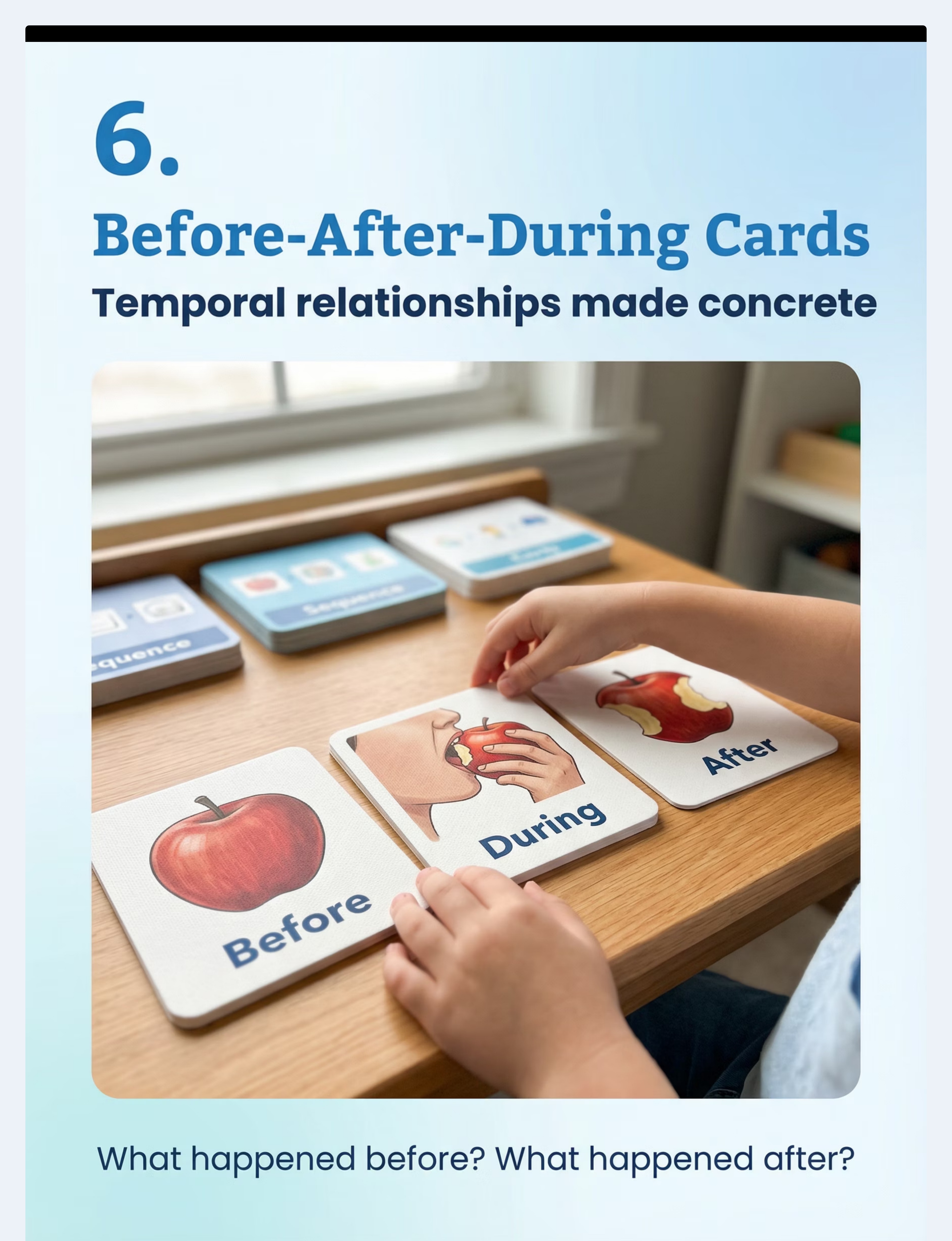
6. Before-After-During Concept Cards
Canon #071 | Story sequencing card sets, temporal sequence cards, Creative's What's Next-2
Price: ₹400–1,200 | Amazon.in
Builds explicit "before/after/during" vocabulary. Use photographs of your child's own daily routine for maximum relevance.
Price: ₹400–1,200 | Amazon.in
Builds explicit "before/after/during" vocabulary. Use photographs of your child's own daily routine for maximum relevance.
Materials 7–9
What You Need: The 9 Core Materials (Part 3)
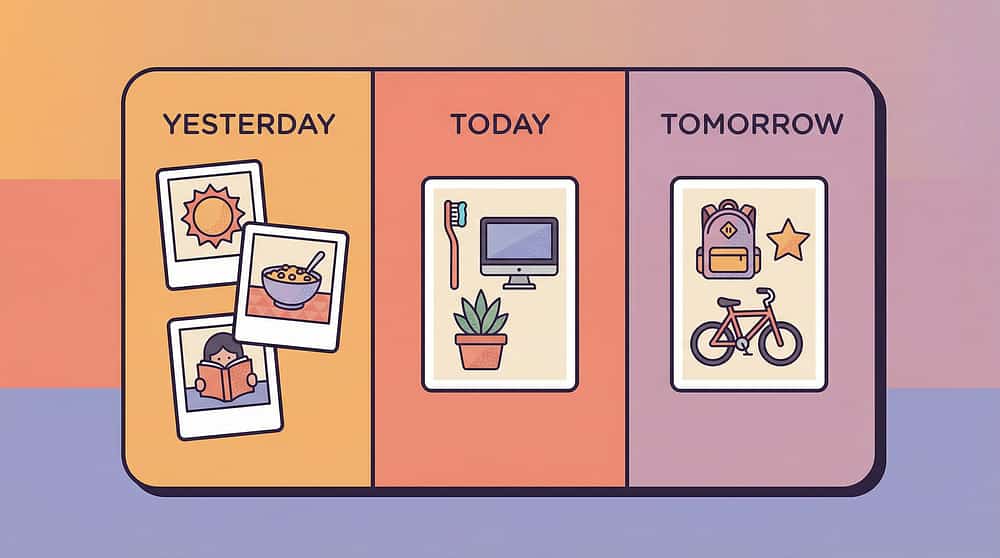
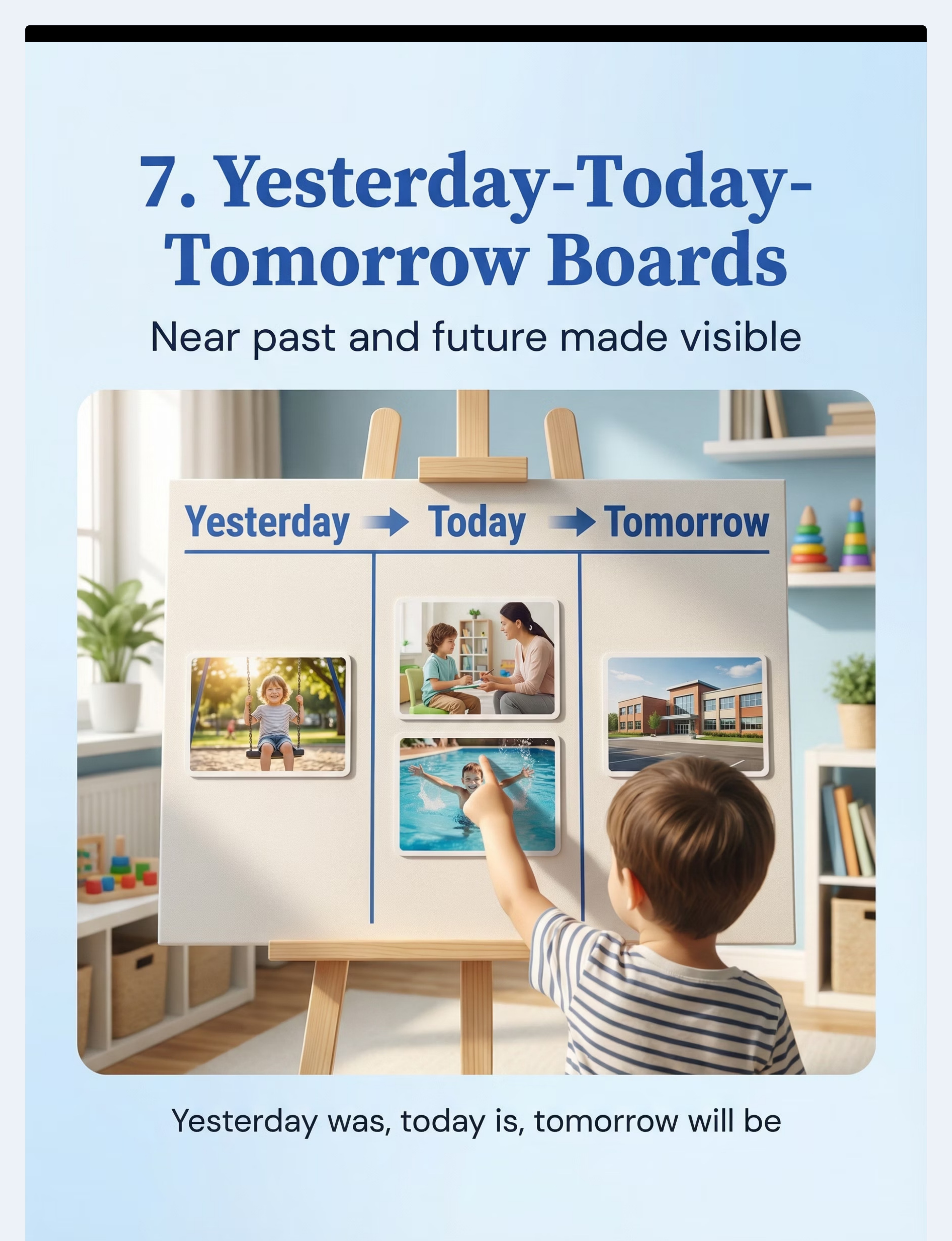
7. Yesterday-Today-Tomorrow Board
Canon #085 + #088 | Three-section temporal boards, Reminder Board Portable Visual Daily Schedule
Price: ₹400–1,000 | Amazon.in
Bridges the gap between days. Update each morning — move pictures from "today" to "yesterday," add new "tomorrow." Builds near-future/recent-past understanding.
Price: ₹400–1,000 | Amazon.in
Bridges the gap between days. Update each morning — move pictures from "today" to "yesterday," add new "tomorrow." Builds near-future/recent-past understanding.

8. Seasons and Year Cycle Materials
Canon #069 | Four seasons learning sets, circular year displays, months and seasons materials
Price: ₹500–1,500 | Amazon.in
Extends temporal awareness to the yearly cycle. Use Indian seasons (Summer, Monsoon, Winter, Spring) for cultural relevance.
Price: ₹500–1,500 | Amazon.in
Extends temporal awareness to the yearly cycle. Use Indian seasons (Summer, Monsoon, Winter, Spring) for cultural relevance.
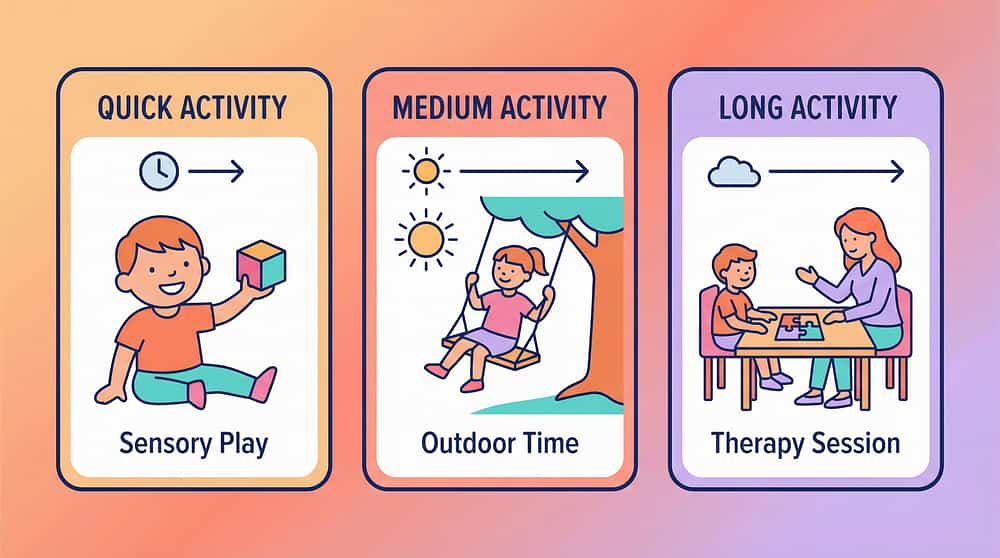
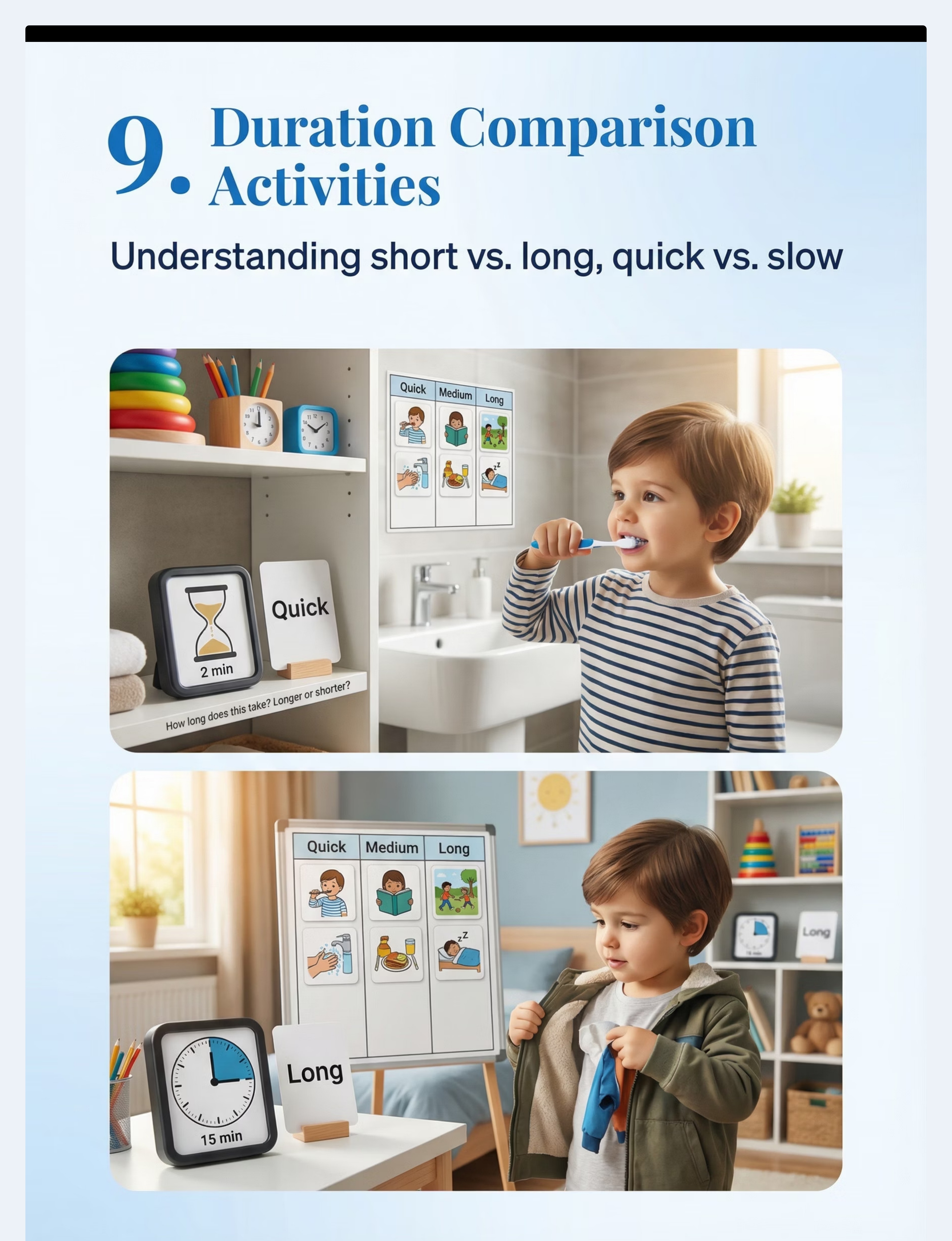
9. Duration Comparison Activity Kit
Canon #071 + #068 | Duration sorting activities, time estimation game sets, "how long does it take" card sets
Price: ₹200–800 | Amazon.in
Builds the internal sense of duration — comparing "quick" vs "long" activities using real-life examples.
Price: ₹200–800 | Amazon.in
Builds the internal sense of duration — comparing "quick" vs "long" activities using real-life examples.
🌟 Starter Kit (Begin Here)
Visual Timer: ₹800–3,000
First-Then Board: ₹300–1,000
Visual Daily Schedule: ₹500–1,500
Starter Total: ₹1,600–5,500
First-Then Board: ₹300–1,000
Visual Daily Schedule: ₹500–1,500
Starter Total: ₹1,600–5,500
Full Comprehensive Kit
All 9 materials: ₹3,800–11,200

Zero-Cost Options
DIY Alternatives: Every Material, Zero Cost
Equity Commitment: "Every family deserves access to evidence-based intervention, regardless of budget. Your kitchen, your phone, and basic craft supplies are enough."
1
DIY Visual Timer — ₹0
Download a free visual timer app (search "visual timer" in app store). OR draw a large circle on paper, colour it red, and gradually cover sections as time passes. OR tape two water bottles together with sand inside.
2
DIY First-Then Board — ₹0–50
Fold cardboard in half. Write "FIRST" on left, "THEN" on right. Draw or paste photos of activities. For reusable version, use tape loops on the back of pictures so they can be swapped out.
3
DIY Visual Daily Schedule — ₹0–50
Create a vertical cardboard strip. Draw or paste images for each daily activity in order. Add a movable arrow (paper clip or sticky note) to show "we are here now." Add checkboxes for completed activities.
4
DIY Calendar System — ₹0–30
Print or draw a monthly calendar grid. Add stickers or drawings for special days. Cross off each day together at bedtime. Count remaining days out loud: "Three more sleeps until grandma visits!"

DIY Continued
DIY Alternatives: Materials 5–9
1
DIY Teaching Clock — ₹0–20
Write numbers 1–12 on a paper plate. Cut two arrows from cardboard (shorter = hours, longer = minutes). Colour hour hand red, minute hand blue. Attach with a brass fastener. Practice: "When we eat dinner, the small hand is on 7."
2
DIY Before-After-During Cards — ₹0–50
Take photos of your child's daily routine in sequence: before bath (picking up towel), during bath (washing), after bath (drying off). Print or draw these. Practice arranging: "What happened first? What happened next?"
3
DIY Yesterday-Today-Tomorrow Board — ₹0–30
Divide paper into three columns labelled "YESTERDAY," "TODAY," "TOMORROW." Each morning, move "today's" pictures to "yesterday," move "tomorrow's" to "today," and add new pictures for tomorrow using real photos from your child's life.
4
DIY Seasons Wheel — ₹0–30
Draw a large circle divided into four sections: Summer, Monsoon, Winter, Spring. Draw weather symbols and activities for each. Add a movable arrow. Discuss: "It's monsoon now. After monsoon comes winter."
5
DIY Duration Comparison — ₹0
Time familiar activities using your phone stopwatch. Ask: "Was getting dressed longer or shorter than eating breakfast?" Create sorting cards: QUICK (under 2 min), MEDIUM (2–10 min), LONG (more than 10 min).
"The tools matter less than the consistency. A hand-drawn first-then board used every day will outperform an expensive visual timer used occasionally."

⚠️ Safety First
Critical Safety Protocols Before You Begin
⚠️ Contraindications — When NOT to Use
- Do NOT use visual timers as punishment tools ("You have 5 minutes or else...") — this creates time anxiety, not reduction
- Do NOT force clock-reading before the child has mastered visual timer and first-then concepts
- Do NOT change the visual schedule after showing it without advance warning — broken visual promises destroy trust
🔧 Material Safety
- Sand timers: glass and sand — choking hazard for children under 3 or those who mouth objects. Use digital alternatives
- DIY clock hands: brass fasteners have sharp points — use tape or blunt alternatives
- Wall-mounted items: secure calendars and schedule boards firmly to prevent falls
- Batteries: digital timers need childproofed battery compartments
🛑 Red Line — Stop If You See
- Child becomes MORE anxious with timer present (switch to song-based countdowns)
- Child fixates obsessively on timer to exclusion of the activity itself
- Child physically avoids or destroys temporal materials consistently
- Schedule rigidity increases — child cannot tolerate ANY change to displayed schedule
- Child shows physical symptoms (headaches, stomach aches) correlated with time tool use
→ If any red lines appear: Pause the specific tool. Consult your Pinnacle Blooms therapist. Call 9100 181 181.

Environment Setup
Set Up Your Time-Visible Home
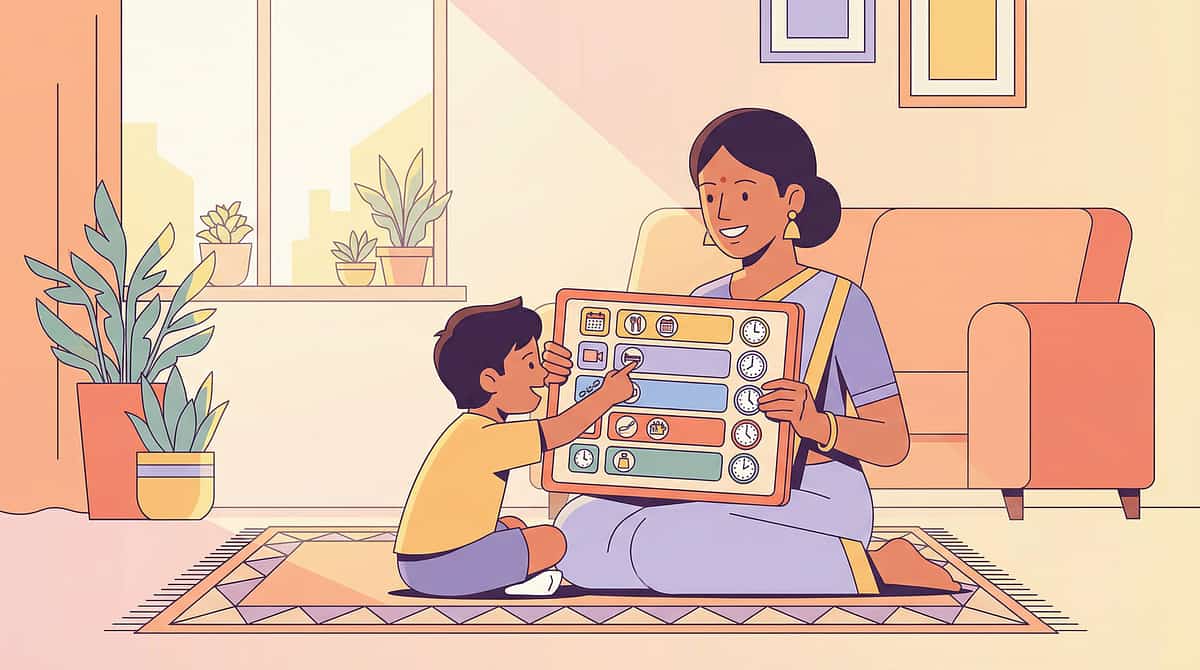
Strategic placement of temporal materials creates an environment where time is always visible. Mount all materials at the child's eye level — not adult eye level. Ensure adequate lighting and minimise competing visual clutter around temporal supports.
1
Position 1: Daily Schedule Station
Location: Hallway or Living Room Wall — near the main activity transition point. This becomes the "check-in station." Child touches/checks schedule before and after each activity.
2
Position 2: Timer Station
Location: Kitchen counter, table, or desk — wherever the activity happens. Timer at eye level when child is seated. For homework: on the desk. For play: on the floor beside the play area.
3
Position 3: Calendar Station
Location: Bedroom or Kitchen — where the child sees it first thing in the morning and last thing before bed. Morning: check together. Bedtime: cross off today, count to next event.
4
Position 4: First-Then Board (Portable)
Location: Travels with child to every transition point. Velcro or magnetic boards move between rooms. This is the transition bridge — carry it everywhere.
5
Position 5: Yesterday-Today-Tomorrow Board
Location: Kitchen or Living Room — near the breakfast area. Update every morning as part of the wake-up routine with the child.
Remove from the space: Competing clocks showing different times ✗ | Old/outdated schedules still on the wall ✗ | Calendars from previous months ✗ | Digital distractions near the timer station ✗
Act III: Execution
Is Your Child Ready? Pre-Session Readiness Check
The best session is one that starts right. Pushing through a bad start doesn't build time understanding — it builds time anxiety. Check all seven conditions before beginning.
✅ Full Go Checklist
- Child is fed (not hungry or thirsty)
- Child is rested (no signs of fatigue)
- Child is in a calm, regulated state (no meltdown in last 30 minutes)
- Child is healthy (no fever, stomach ache, or acute discomfort)
- Environment is set up (timer, schedule, materials ready)
- You have 10–15 uninterrupted minutes
- No major disruption expected
Decision Gate
🟢 ALL GREEN → GO: Proceed to full session.
🟡 1–2 YELLOW → MODIFY: Use only ONE time tool (the visual timer) for a single 3-minute preferred activity. Skip schedule work today.
🔴 ANY RED → POSTPONE: Do a calming activity instead. Come back tomorrow. The best session is one that starts right.
Starting the Session
The Invitation: Starting Every Session the Same Way
Predictability builds trust. Use the same opening ritual every single session — this itself teaches temporal structure. The routine of the session models the very skill you're teaching.
✓ What to Say
"It's time to check our schedule! Let's see what's happening."
"Look — we just finished [activity]. What's next?"
"We're going to [activity] for this much time. Watch the red — when the red is gone, we're done!"
If Child Resists — Try This
- Offer a choice: "Do you want to carry the timer or should I?"
- Reduce demand: Start with a 2-minute timer for a preferred activity
- Use first-then: "First timer check, then [preferred activity]"
- If full refusal: Don't force. Try again later. Note the resistance for troubleshooting.

Core Protocol
The Engagement: Core Time-Teaching Protocol — Phase A
Phase A — Duration Awareness (Visual Timer Focus — Weeks 1–2 primary tool)
Set the Timer for a PREFERRED Activity
Play, snack, screen time. Start with 3 minutes. Build to 5, then 10 over weeks. Never start with a non-preferred activity.
Narrate Time Casually 2–3 Times During the Activity
"Look! Lots of red left — lots of time!" → "The red is getting smaller — some time left." → "Almost gone! Just a little red left — almost done!"
When Timer Ends — Name the Duration
"The red is all gone! Time is finished. That was [3] minutes!" Transition IMMEDIATELY. Never say "just 2 more minutes" — this destroys trust in the tool.
Phase B — Sequential Understanding (First-Then Board Focus — Weeks 2–3): Before every transition, show the first-then board. "First we eat, then we play." Point to each picture. After "First" is complete, move "Then" picture to "First" position and add a new "Then."
Phase C — Daily Structure (Visual Schedule Focus — Weeks 3–4): Walk child through the day's schedule each morning. Move the "now" marker as the day progresses. After each activity, child checks it off. Goal: child can tell you what comes next by looking at the schedule.

Advanced Phases
The Engagement: Advancement Activities — Phases D Through I
Once your child has mastered Phases A–C (typically by weeks 4–6), introduce the following phases in sequence. Do not rush advancement — two weeks of stable mastery at each phase before progressing.
1
Phase D
Week 4–5
Calendar awareness — daily calendar ritual. Cross off days, count to events, discuss upcoming plans.
Calendar awareness — daily calendar ritual. Cross off days, count to events, discuss upcoming plans.
2
Phase E
Week 5–6
Before-after-during card sorting using photos from child's own daily routine.
Before-after-during card sorting using photos from child's own daily routine.
3
Phase F
Week 6–7
Yesterday-today-tomorrow board — daily morning update ritual, building near-future and recent-past concepts.
Yesterday-today-tomorrow board — daily morning update ritual, building near-future and recent-past concepts.
4
Phase G
Week 7–8
Clock introduction — ONLY after mastery of Phases A–F. Dual display: visual timer + clock simultaneously.
Clock introduction — ONLY after mastery of Phases A–F. Dual display: visual timer + clock simultaneously.
5
Phase H
Ongoing
Seasons and year cycle — integrated into calendar work. Discuss weather, seasonal activities, and year progression.
Seasons and year cycle — integrated into calendar work. Discuss weather, seasonal activities, and year progression.
6
Phase I
Week 5+
Duration comparison games — "Was bath shorter or longer than breakfast?" Builds internal sense of relative duration.
Duration comparison games — "Was bath shorter or longer than breakfast?" Builds internal sense of relative duration.
During the Session
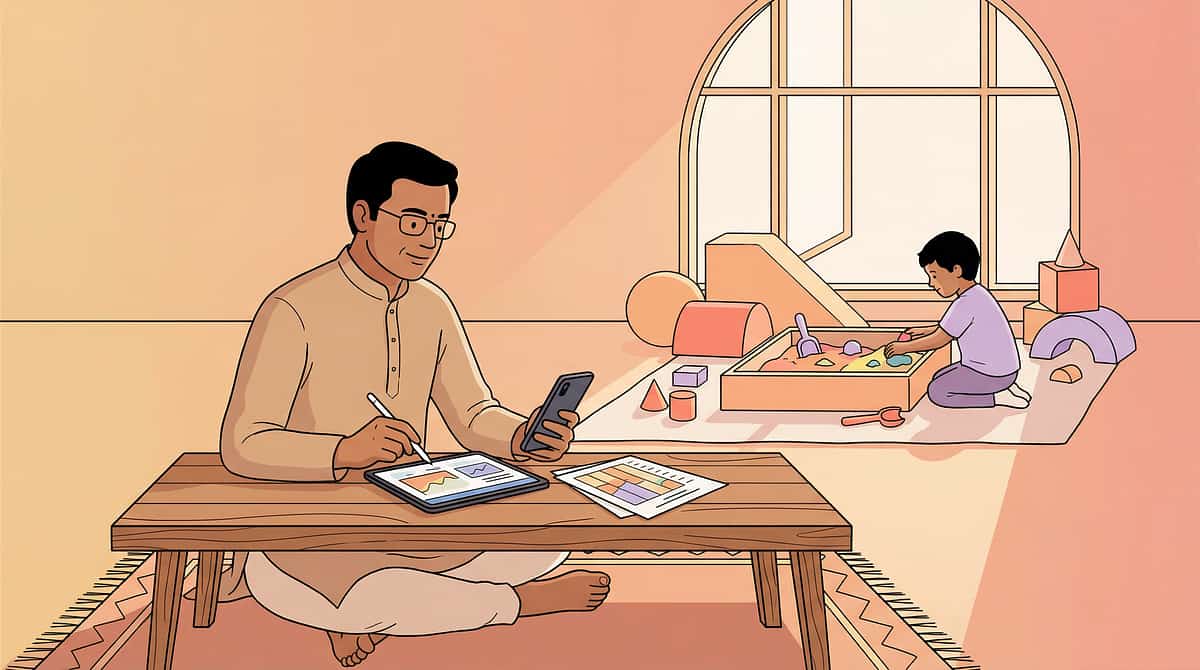
The Action: Your Role During Every Session
✓ STEP 1: Narrate Time Naturally — Don't Quiz
DO: "Wow, the red is halfway gone! We have about 2 minutes left."
DON'T: "How much time is left? Tell me! What does the timer say?"
DON'T: "How much time is left? Tell me! What does the timer say?"
✓ STEP 2: Pair Time Words with Visuals — Every Time
DO: Point to schedule while saying "After lunch is play time." (Verbal + Visual)
DON'T: Say "Play time is after lunch" without pointing. (Verbal only — this is what already doesn't work)
DON'T: Say "Play time is after lunch" without pointing. (Verbal only — this is what already doesn't work)
✓ STEP 3: Honour the Visual — The Tool Must Be Trustworthy
DO: When timer ends, transition immediately even if you want to continue.
DON'T: "Just 2 more minutes" after the timer ended. This destroys trust in the tool completely.
DON'T: "Just 2 more minutes" after the timer ended. This destroys trust in the tool completely.
✓ STEP 4: Celebrate Time Awareness — Catch Them Looking
DO: "You checked the schedule yourself! You knew it was snack time! Amazing!"
DON'T: Take independent schedule-checking for granted without acknowledgment.
DON'T: Take independent schedule-checking for granted without acknowledgment.
✓ STEP 5: Connect Time to Feelings
DO: "That was a LONG game! 10 whole minutes! That's a long time."
DON'T: Assume the child internally connects the timer to the duration experience.
DON'T: Assume the child internally connects the timer to the duration experience.
Reinforcement
Reinforce: Making It Stick
Reinforce specific behaviours, not vague praise. "You checked the schedule" is more powerful than "Good job." Here is a tiered reinforcement system to use throughout implementation.
🌟 Tier 1 — Reinforce Immediately
- Child glances at visual timer during activity → "Great checking!"
- Child checks schedule without being told → "You checked what's next — so smart!"
- Child uses time words spontaneously ("Is it almost done?") → "YES! You asked about time!"
- Child waits calmly while watching timer → "You waited so well!"
🌟 Tier 2 — Reinforce with Enthusiasm
- Child correctly identifies "what comes next" from schedule → "You READ the schedule! That's exactly right!"
- Child points to timer and says "almost done" → High five + verbal praise
- Child crosses off activity on schedule independently → "You are managing your whole day!"
📅 Reinforcement Schedule
Weeks 1–2: Reinforce EVERY instance of time tool use
Weeks 3–4: Reinforce every other instance (thinning schedule)
Weeks 5+: Reinforce intermittently (natural maintenance)
Weeks 3–4: Reinforce every other instance (thinning schedule)
Weeks 5+: Reinforce intermittently (natural maintenance)
Use natural reinforcement (preferred activity on first-then board), social praise (specific and enthusiastic), or token reinforcement (sticker on completed schedule). Avoid food reinforcement for time skills.
Closing Ritual
Cool-Down: Ending Every Session the Same Way
The closing ritual is as important as the opening. Use the same ending sequence every session — predictability here models temporal structure and helps the child understand that "endings" are safe and followed by something known.
Bedtime Closing (Last Session of the Day): Cross off today on the calendar. Point to tomorrow: "Tomorrow we'll do [exciting event]." Update Yesterday-Today-Tomorrow board: move today's pictures to yesterday column. Say: "Today is done. Tomorrow is coming. Goodnight!"

Data Tracking
Track Your Data: Daily Time Skills Tracker
"Data turns feelings into facts. When your therapist asks 'Is it getting better?' you'll know exactly." Use this simple daily tracker after every session. Takes under 3 minutes. Bring it to every therapy appointment.
Visual Timer Use
- Used timer today (how many times? ___)
- Child glanced at timer independently (Y/N)
- Child showed calm waiting behaviour (Y/N)
- Transition after timer was smooth (Y/N)
Schedule Use
- Checked schedule today (how many times? ___)
- Child checked schedule independently (Y/N)
- Child identified "what's next" correctly (Y/N)
- Schedule transitions were smooth (Y/N)
Time Language Observed
Did child use any time words today?
Examples to listen for: first, then, next, after, before, yesterday, tomorrow, soon, later, wait, done, finished
Overall Session
- Number of transitions today: ___
- Number of smooth transitions: ___
- Number of difficult transitions: ___
- Any new time behaviours observed: _______________

More Troubleshooting
Troubleshooting: Problems 4–6
Problem 4: "The timer makes my child MORE anxious"
Solution: Timer anxiety is real. Switch to a "timer appears AFTER the activity starts" approach rather than before. Or use gentle time-up signals (soft chime) rather than alarming ones (buzzer). Consider countdown songs as an alternative entirely.
Problem 5: "My child can't
'first' and 'then' yet"
Solution: Reduce to "NOW" only. Show one picture at a time: "NOW we eat." When eating is done, replace with: "NOW we play." Only introduce "THEN" when "NOW" is mastered with consistent understanding across multiple days.
Problem 6: "We can't maintain consistency — life happens"
Solution: Pick ONE tool and ONE routine. Use a visual timer for one daily transition only (e.g., "play time ending"). Do this consistently for 2 weeks before adding anything else. Consistency in one routine beats inconsistency across five routines.

Adapt to Your Child
Adapt to Your Child: 5 Profiles
No two children respond identically. Use the profile below that best matches your child's presentation. You may see elements from more than one profile — combine adaptations as needed and consult your Pinnacle Blooms therapist for personalised guidance.
Profile A: Nonverbal / Minimally Verbal
- Use photos of YOUR child doing activities (not generic images)
- Pair every visual with a consistent gesture or sign
- Accept pointing to the schedule as communication — it IS communication
- Don't require verbal responses about time
Profile B: High Anxiety / Rigid
- Start with schedule showing ONLY the current activity (no future shown)
- Introduce "next" gradually over days, not hours
- Add a "surprise" card for unexpected changes — teach it as a category, not a threat
- Use transition objects alongside the first-then board
Profile C: High-Energy / Attention-Seeking
- Keep timer sessions SHORT (2–3 minutes maximum initially)
- Use timers for active activities first (jumping, dancing for 3 minutes)
- Make schedule checking a physical activity (run to the schedule, check, run back)
Profile D: Visual Processing Differences
- Use high-contrast materials (black and white, not pastel)
- Make visual timer LARGE (12-inch minimum)
- Use 3D/tactile schedule elements (objects instead of pictures)
- Consider auditory timer alternatives alongside visual
Profile E: Older Child (8–12)
- Move to digital calendar and timer apps
- Involve child in creating their own schedule
- Introduce clock-based time alongside visual supports (dual display)
- Add responsibility: child manages their own timer for homework

Generalisation
Generalisation: Beyond the Home
"Consistency across caregivers and settings multiplies impact. One schedule system used everywhere beats five different systems used once." Here is how to extend time understanding into every environment your child inhabits.
School Setting
Provide the classroom teacher with a copy of the child's visual schedule format. Send a portable first-then board in the school bag. Request visual timer use during classroom transitions. Share this page with the teacher.
Therapy Sessions
Ensure your Pinnacle Blooms therapist uses the same visual timer format. Ask SLP, OT, and BCBA to use consistent temporal language. Bring the home schedule to therapy — show the therapist what the child uses at home.
Community (Shopping, Parks, Restaurants)
Carry a portable laminated first-then card. Use phone timer with visual display in public settings. Pre-show the child a mini-schedule before outings: "First store, then park, then ice cream."
Extended Family
Share the simplified Family Guide with all caregivers. Key message: "Use the pictures. Use the timer. Say 'first-then.' Be consistent." Share this page via WhatsApp. Call 9100 181 181 for family coaching support.
Act IV: Progress Arc
Weeks 1–2: What to Expect
25%
Progress: Tolerance Building
Weeks 1–2 are about PRESENCE, not MASTERY. Neural pathways for time understanding are being built right now — you just can't see them yet.
✓ Likely to See in Weeks 1–2
- Child tolerates presence of visual timer without resistance
- Child begins to glance at timer during activities (even briefly)
- Child allows you to show first-then board before transitions
- One or two transitions become noticeably smoother
- Child points to or touches the visual schedule
✗ Not Expected Yet in Weeks 1–2
- Child uses time words independently
- Child checks schedule without prompting
- Transition meltdowns eliminate completely
"If the timer is in the room and your child isn't fighting it, you're winning. Trust the process. The visible results are coming."
Progress Arc
Weeks 3–4: Neural Consolidation
50%
Progress: Neural Consolidation
Behavioural consolidation markers align with neural adaptation curves. You'll begin to see the first signs of internalised temporal understanding.
Consolidation Indicators for Time Concept Understanding:
Timer Consolidation
Child voluntarily looks at timer during activities (at least 3× per activity). Child begins using "done" or "finished" when timer ends. Timer-end becomes a natural transition cue rather than a surprise.
Schedule Consolidation
Child accepts first-then board without resistance in most transitions. Child walks to schedule station when prompted. At least one daily transition is now consistently smooth with visual support. Child may begin to ASK about schedule ("What's next?").
Spontaneous Emergence
Child starts walking toward the schedule independently. First-then language appears in child's own communication attempts. Transition anxiety reduces for visually-supported transitions (but may remain for unsupported ones — this is expected and normal).
Parent Milestone: "You may notice you're more confident too. You're narrating time naturally. You've become a time teacher without even trying."
Progress Arc
Weeks 5–8: Mastery Indicators
75%
Progress: Approaching Mastery
Observable and measurable criteria for mastery across three domains. Stable mastery for 2 weeks = ready for next-level challenges.
🏆 Timer Mastery
- Child independently references timer during activities (without prompting)
- Child adjusts behaviour as timer depletes (starts cleaning up)
- Child can wait with timer support for up to 10 minutes calmly
- Child may begin requesting timer ("I want to see how long")
🏆 Schedule Mastery
- Child checks schedule independently at least 3× per day
- Child can tell you "what's next" with 80%+ accuracy
- Child transitions based on schedule with minimal prompting
- Child accepts schedule changes with warning ("The schedule changed — look")
🏆 Temporal Language Mastery
- Child uses "first," "then," "next," or "after" in spontaneous speech
- Child can answer "What did you do today?" with at least 2 sequential events
- Child uses "yesterday" or "tomorrow" with emerging accuracy
- Time awareness appearing in school, community, and peer settings
🎖️ TIME NAVIGATOR — LEVEL 1 UNLOCKED
You Did This.
Your child can now SEE time. They know what's coming. Transitions are calmer. The daily routine has structure. And you — you made that happen.
Eight weeks ago, "five minutes" meant nothing. Now your child watches the red disappear and understands — viscerally, concretely — what five minutes feels like. Eight weeks ago, transitions were crises. Now they check the schedule and walk to the next activity. Eight weeks ago, "tomorrow" was fog. Now it's a picture on a board that they point to with anticipation.
That transformation came from your consistency. Your patience. Your willingness to show up every morning, walk to the schedule, set the timer, and narrate time — even when it felt like nothing was working.
Family Celebration Suggestion: Let your child pick a special activity for the whole family. Take a photo with their visual schedule and timer. Write the date. Note what they can do now that they couldn't 8 weeks ago. This is evidence of growth — keep it. 📸

Progression Pathway
The Progression Pathway: Your Developmental GPS
This technique doesn't stand alone — it sits within a carefully sequenced developmental architecture. Here is where B-162 fits, what came before, and where to go next based on your child's strongest response pattern.
Long-term developmental goal: Independent temporal navigation — the child manages their own time, anticipates events, plans activities, narrates past and future, and participates in time-based social conventions.

Full Developmental Map
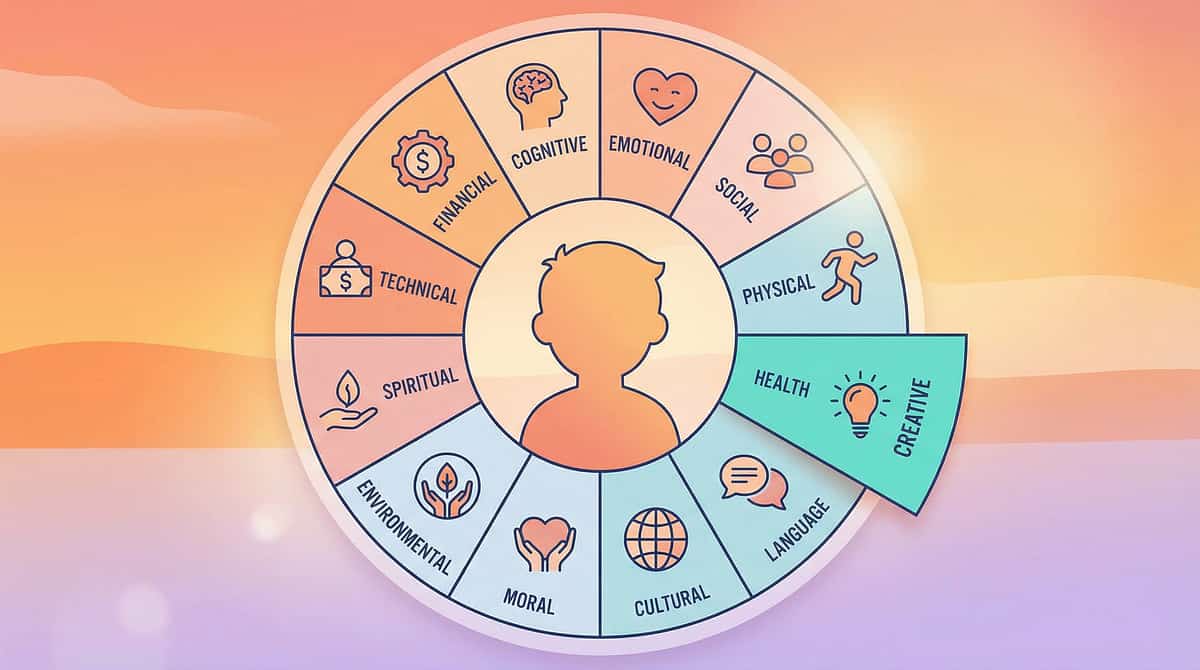
Your Child's Full Developmental Map: All 12 Domains
This technique — Time Concept Understanding through Visual Supports — is one piece of a larger developmental plan. The time skills you're building here feed directly into Domain F (Daily Living Skills), Domain G (Emotional Regulation through predictability), Domain I (Academic Readiness), and Domain K (Executive Function through planning).
"This technique is one piece of a larger plan. Every domain connects. Every skill feeds forward."
Act V: Community
Parent Stories: From Fear to Mastery
Ananya, Mother of Arjun (Age 5) — Hyderabad
"Every morning was a battle. Arjun would scream when I said 'time for school' because 'time for' meant nothing to him. Our OT at Pinnacle Blooms suggested a visual schedule with real photos of Arjun at each activity. The first week he just looked at it. By week three, he was walking to the schedule himself. By week six, he told his grandmother 'First bath, then breakfast.' I cried. He could see time."
Rajesh, Father of Meera (Age 7) — Bangalore
"Meera would have meltdowns at the end of every park visit because she couldn't understand 'we're leaving soon.' We started using a visual timer — the one with the red that shrinks. Now she watches it during play and when the red is almost gone, she starts walking toward me. No meltdown. No fight. She can SEE the end coming and prepare herself. Our BCBA said this is the biggest transition improvement she's seen in her caseload this year."
Priya, Mother of Vikram (Age 4) — Chennai
"I couldn't afford the commercial products. I made a first-then board from cardboard and photos printed at the local shop. It cost me ₹30. Vikram carries it everywhere. His special educator at Pinnacle says his transition compliance went from 20% to 80% in four weeks. It's not about the price of the tool — it's about using it every single time."
Community
Connect with the Pinnacle Blooms Community
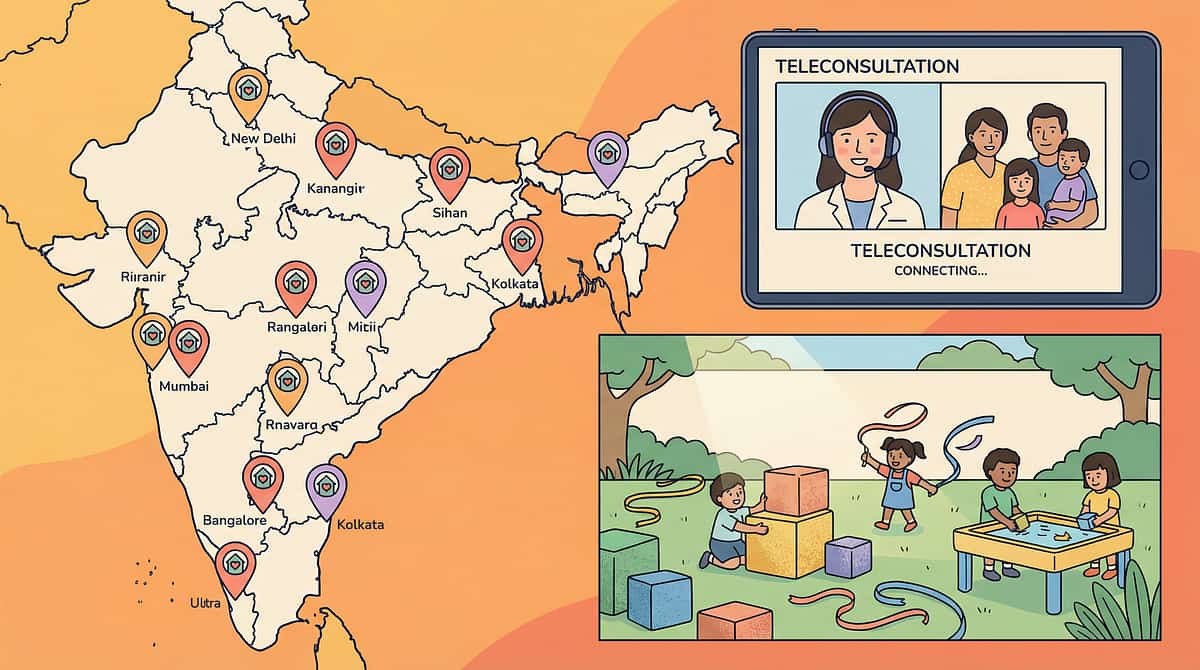
"You don't have to do this alone. 80+ Pinnacle Blooms centres across India. Thousands of families on the same journey." Connect with parents who are implementing the same techniques in your city, language, and context.
Pinnacle Blooms Support
- 📱 WhatsApp Parent Support Groups — connect with parents in your city
- 🌐 pinnacleblooms.org/autism-speech-aba-parent-family-resources — full resource library
- 📞 FREE National Autism Helpline: 9100 181 181 (24/7, 16+ languages)
- 📍 Find your nearest Pinnacle Blooms Centre: pinnacleblooms.org/contact-national-autism-helpline-24-7
National & International Resources
- National Trust for the Welfare of Persons with Autism (India) — www.thenationaltrust.gov.in
- Autism Society of India — www.autismsocietyofindia.org
- WHO Autism Resources — www.who.int/health-topics/autism
- UNICEF Early Childhood Development — www.unicef.org/early-childhood-development
21M+
Exclusive 1:1 Therapy Sessions
97%+
Measured Improvement Rate
80+
Centres Across India
1,000+
Clinical Professionals

Your Professional Team
Your Nearest Pinnacle Blooms Centre
Your care team for time concept development includes a NeuroDevelopmental Paediatrician for assessment and medical oversight, a Board Certified Behaviour Analyst for ABA-based temporal skill programming, a Speech-Language Pathologist for temporal language development, an Occupational Therapist for daily living skill integration, and a Special Educator for the cognitive curriculum.
Andhra Pradesh & Telangana
Karnataka & Tamil Nadu
Maharashtra & Gujarat
Delhi NCR & Uttar Pradesh
West Bengal & Kerala
Rajasthan & Expanding...
Powered by GPT-OS®
Powered by GPT-OS® — Global Paediatric Therapeutic Operating System
"This page is not a blog post. It is a node in a therapeutic intelligence system." GPT-OS® governs every step from Diagnostic Observation through Scoring, Prognosis Analysis, Therapy Plan, Execution, and Re-measurement.
70,000+ Technique Pages
Across 12 developmental domains, each with evidence-based protocols, materials, and progress tracking.
128 Canon Materials
Mapped to specific therapeutic outcomes with pricing and procurement links for every budget.
687 Products
With pricing and procurement links across commercial and DIY categories, updated regularly.
999 Video Reels
Demonstrating materials in action across all 12 developmental domains by consortium specialists.

Watch the Reel
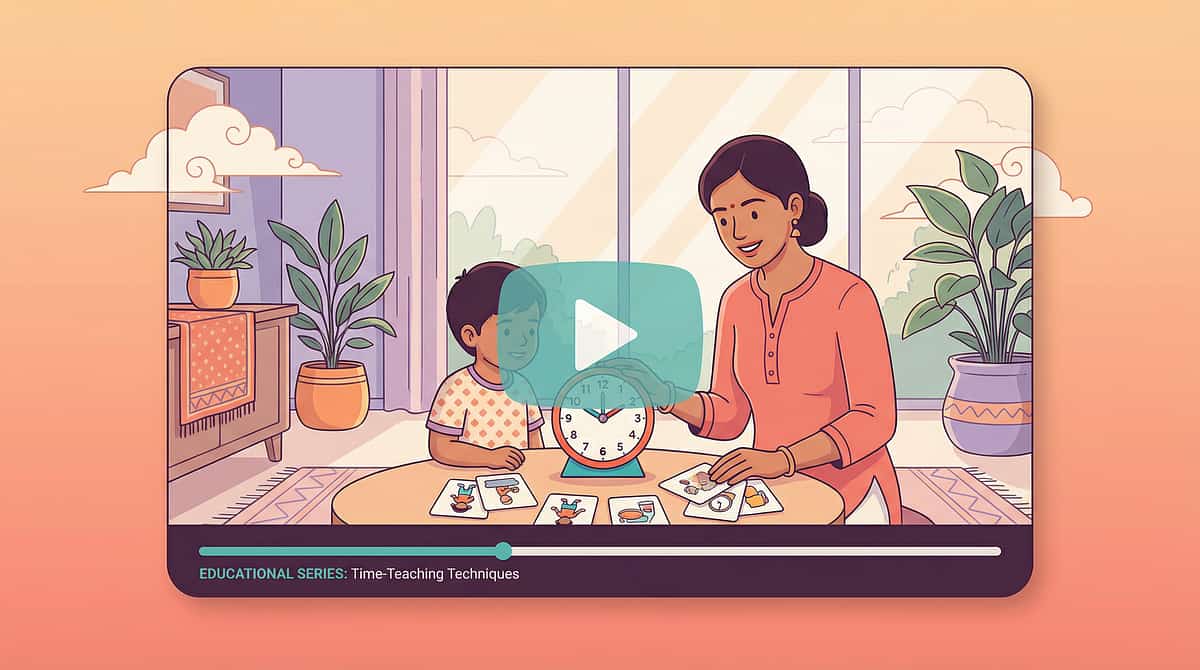
Watch the Reel: 9 Materials That Help with Time Concept Understanding
Reel ID: B-162 | Series: Cognitive & Concept Development Solutions — Episode 162 | Duration: 75 seconds
Does your child panic when told "five more minutes"? When time is invisible, it's incomprehensible. Watch our consortium of paediatric therapists demonstrate all 9 visual materials that transform abstract time into something children can SEE, TOUCH, and UNDERSTAND — from visual timers to calendar systems.
Presenter: Pinnacle Blooms Network — Consortium of SLP, OT, BCBA, SpEd, NeuroDev specialists
Hashtags: #TimeConcepts #VisualSupports #AutismTherapy #VisualTimer #VisualSchedule #TransitionSupport #AutismParenting #SpecialNeedsTools #PinnacleBlooms #CalendarSkills #SequencingSkills #ExecutiveFunction #DailySchedule #EarlyIntervention

Act VI: FAQ
Frequently Asked Questions
Q1: At what age should I start teaching time concepts?
As early as age 2–3, you can introduce "now" and "next" concepts using first-then boards. Visual timers can begin at age 3. Formal calendar and clock work typically begins at age 4–5. There is no "too late" — even adolescents benefit from visual temporal supports. Start where your child is, not where their age says they should be.
Q2: Which material should I start with — the timer, the schedule, or the first-then board?
Start with the VISUAL TIMER for preferred activities — this builds the foundational concept that time has a visible shape. Then add the FIRST-THEN BOARD for transitions (typically Week 2). Then introduce the VISUAL SCHEDULE for daily structure (typically Week 3). See Card 18 for the complete phase progression.
Q3: My child is nonverbal. Will these tools still work?
Absolutely. Visual temporal supports are ESPECIALLY effective for nonverbal children because they bypass the verbal channel entirely. The child doesn't need to understand the WORDS "five minutes" — they see the red shrinking. They don't need to SAY "what's next" — they point to the schedule. See Card 26, Adaptation Profile A for specific modifications.
Q4: How long before I see results?
Most families report noticeable improvement in transition quality within 2–3 weeks of consistent visual timer and first-then board use. Schedule independence typically emerges by weeks 4–6. Full temporal vocabulary development (using time words independently) typically takes 6–10 weeks. See Cards 28–30 for detailed week-by-week expectations.

FAQ Continued
Frequently Asked Questions — Part 2
Q5: Can I use a phone timer instead of a dedicated visual timer?
Yes, with caveats. Phone timer apps with visual countdown displays work well. However: (1) The child may associate the phone with screen time, creating confusion; (2) The phone may receive notifications; (3) Dedicated timers are "single-purpose," which is clearer for the child. For budget considerations, phone timers are a perfectly valid starting point. See Card 13 for complete DIY alternatives.
Q6: Will my child become dependent on visual supports and never learn "real" time?
Visual supports are scaffolding, not crutches. Research shows children gradually internalise temporal frameworks as their brain develops — just as typically developing children move from counting on fingers to mental maths. Many children naturally reduce their reliance over months to years. And even for those who continue using them — visual calendars and planners are used by EVERY adult. It's called a phone calendar.
Q7: We travel a lot / have an unpredictable schedule. How do we maintain consistency?
Portability is key. Laminated mini first-then cards travel in your bag. Phone timer apps travel everywhere. A simplified portable schedule (3–5 activities) covers travel days. The consistency isn't in using every tool every day — it's in using the SAME visual language (first-then, timer, schedule format) wherever you go. See Card 27 for multi-setting generalisation strategies.
Q8: Should I use these at the same time as my therapist uses them?
Yes — this is ideal. Consistent visual temporal supports across home and therapy creates the fastest learning. Share this page URL with your Pinnacle Blooms therapist or call 9100 181 181 to discuss coordinating home-therapy temporal support strategies.
Preview of 9 materials that help with time concept understanding Therapy Material
Below is a visual preview of 9 materials that help with time concept understanding therapy material. The pages shown help educators, therapists, and caregivers understand the structure and content of the resource before use. Materials should be used under appropriate professional guidance.








Link copied!
The Pinnacle Promise
Mission: "From fear to mastery. One technique at a time."
A parent arrived on this page scared and confused about time. They leave empowered — with nine materials, a clear protocol, evidence-based confidence, and a professional support system spanning 80+ centres across India. Every recommendation on this page is validated by the Pinnacle Blooms Therapeutic Consortium and should be implemented with professional guidance for optimal outcomes.
Medical Disclaimer: This content is educational and informational. It does not replace assessment, diagnosis, or treatment by a licensed professional. Individual results vary based on the child's profile, implementation consistency, and professional guidance. If you are concerned about your child's temporal understanding or any aspect of development, consult a qualified developmental specialist.
© 2026 Pinnacle Blooms Network®. All rights reserved.
Powered by GPT-OS® — Global Paediatric Therapeutic Operating System | Content: Pinnacle Blooms Therapeutic Consortium | Research Validation: Pinnacle Blooms Clinical Research Organisation | Published: techniques.pinnacleblooms.org
www.pinnacleblooms.org | pinnacleblooms.org/autism-therapy | pinnacleblooms.org/parent-training | pinnacleblooms.org/teacher-training | pinnacleblooms.org/careers | pinnacleblooms.org/franchise-autism-therapy-center
📞 9100 181 181 | 🌐 pinnacleblooms.org | 📧 contact@pinnacleblooms.org
📞 9100 181 181 | 🌐 pinnacleblooms.org | 📧 contact@pinnacleblooms.org