

Seeing Everything. Choosing Nothing.
Your daughter stands in front of her toy shelf — thirty toys staring back at her — and she freezes. Her eyes scan left, right, left again. Her hand starts to reach, then pulls back. Sometimes she whines. Sometimes she walks away. Sometimes she just stands there, stuck, until you choose for her.
But hand her just two crayons? She chooses instantly. Offer three toys instead of thirty? She picks one and plays for an hour. The problem was never her ability to choose. The problem is what her eyes and brain must process before choosing becomes possible.
"You are not failing. Your child is not being difficult. Their visual processing system is speaking — and now you will learn to speak back."
Sensory Solutions Series — Episode 69
Ages 2–10 Years
Pinnacle Blooms Consortium Validated

You Are Not Alone — The Numbers
These are not estimates. A 2024 PRISMA-model systematic review confirmed that sensory processing difficulties — including visual processing differences — are present in the significant majority of children on the autism spectrum. Visual choice overload sits at the intersection of two well-documented systems: visual sensory processing and executive function. When both are challenged simultaneously, the result is the exact freezing and shutdown pattern you recognise in your child.
1
Sensory Differences
Of children diagnosed with autism experience measurable sensory processing differences, including visual processing challenges that directly impact daily functioning.
2
Visual Overwhelm
Children with sensory processing differences show specific visual overwhelm patterns — difficulty filtering, prioritising, and selecting from multiple simultaneous visual inputs.
3
Families Navigating This
Families in India alone navigate paediatric neurodevelopmental challenges — and visual choice overload is among the most commonly reported yet least addressed daily obstacles.
📚 PRISMA Systematic Review (Children, 2024) | PMC11506176 · Meta-Analysis: Sensory Integration Therapy (World J Clin Cases, 2024) | PMC10955541 · WHO Nurturing Care Framework (2018)

What's Happening in Your Child's Brain
The Visual Processing System — Your Child's Input Filter
When your child looks at a shelf with thirty toys, their visual processing system must take in all thirty items simultaneously, assign relative importance to each one, suppress the irrelevant ones, and forward only the relevant candidates to the decision-making areas.
For your child, the filter works differently. Every item carries equal visual weight. The system that should be saying "focus here, ignore there" is instead saying "EVERYTHING IS EQUALLY IMPORTANT."
The Executive Function System — Your Child's Decision Engine
Even after the visual system forwards its candidates, the prefrontal cortex must hold multiple options in working memory, compare them against preferences, inhibit attention to non-selected options, and execute a final choice. When the visual filter fails to reduce the input, the executive function system receives an unmanageable volume — and it stalls.
This is a wiring difference, not a behaviour choice. And it responds to environmental modification.
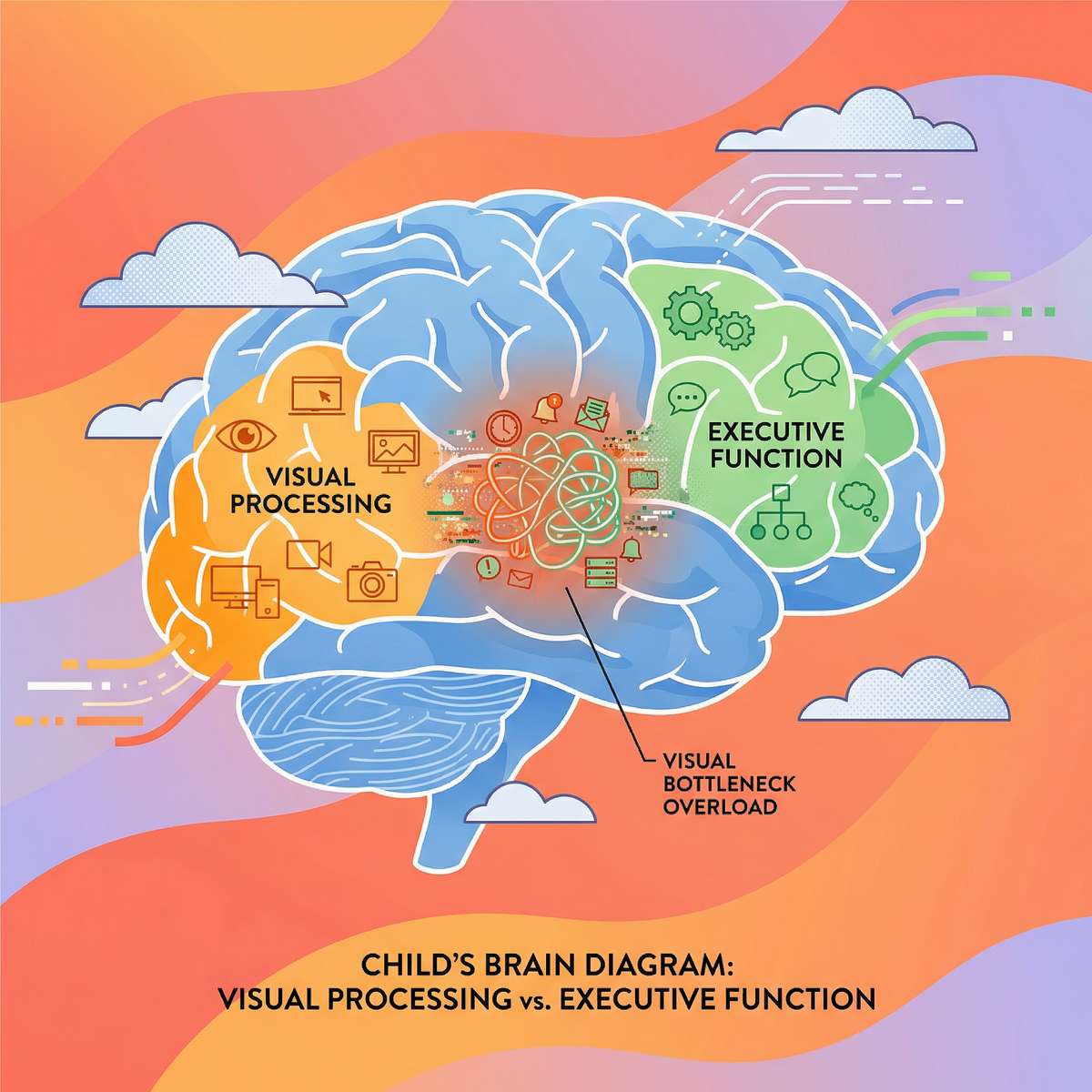
📚 Frontiers in Integrative Neuroscience (2020): Framework for evaluating sensory integration/processing treatment in ASD | DOI: 10.3389/fnint.2020.556660

Where This Sits in Development
Visual choice overload commonly co-occurs with broader sensory processing differences, attention regulation challenges, anxiety, and executive function challenges beyond decision-making. These are not separate problems — they share overlapping neural circuitry.
1
0–12 Months
Visual tracking develops, basic object preference emerging.
2
12–24 Months
Points to preferred items from 2–3 options. Early choosing behaviour begins.
3
2–3 Years ⚡
Choice Overload Window Opens — child encounters increasing visual complexity while filtering and executive function are still maturing.
4
3–5 Years ⚡
Peak Challenge Zone — environmental complexity outpaces processing capacity. Freezing, avoidance, and meltdowns at choice points become patterns.
5
5–7 Years
With intervention, visual filtering strengthens. Choice-making strategies become learnable. Environmental modifications show dramatic impact.
6
7–10+ Years
Executive function maturation accelerates. Children with supported development increasingly manage choice-rich environments independently.
📚 WHO/UNICEF CCD Package (2023) | PMC9978394 · UNICEF MICS Developmental Indicators (197 countries) · WHO Nurturing Care Framework (2018)

The Evidence Behind This Technique
🛡️ Level I–II: Systematic Review + Meta-Analysis Supported
Sensory-environment modification and visual processing intervention meet the threshold for evidence-based practice according to multiple systematic reviews and meta-analyses published between 2020–2024.
PRISMA Systematic Review — Children, 2024
16 articles from 2013–2023 analysed. Conclusion: Sensory integration intervention, including environmental modification for visual processing challenges, meets criteria to be considered evidence-based practice for children with ASD. Visual processing and environmental structuring specifically identified as effective intervention targets.
Meta-Analysis — World Journal of Clinical Cases, 2024
24 studies involving structured sensory integration therapy were meta-analysed. Results: effectively promoted social skills, adaptive behaviour, sensory processing capacity, and motor skills. Home-based implementation validated as an effective delivery model.
Indian RCT — Indian Journal of Pediatrics, 2019
Randomised controlled trial demonstrating that home-based sensory interventions, when properly structured and parent-administered, produce significant developmental outcomes. Safety protocols for home-based sensory sessions were established and validated.
"Clinically validated. Home-applicable. Parent-proven. The materials you are about to learn are not experimental — they are evidence-based tools used by occupational therapists, behavioural analysts, and developmental specialists worldwide."
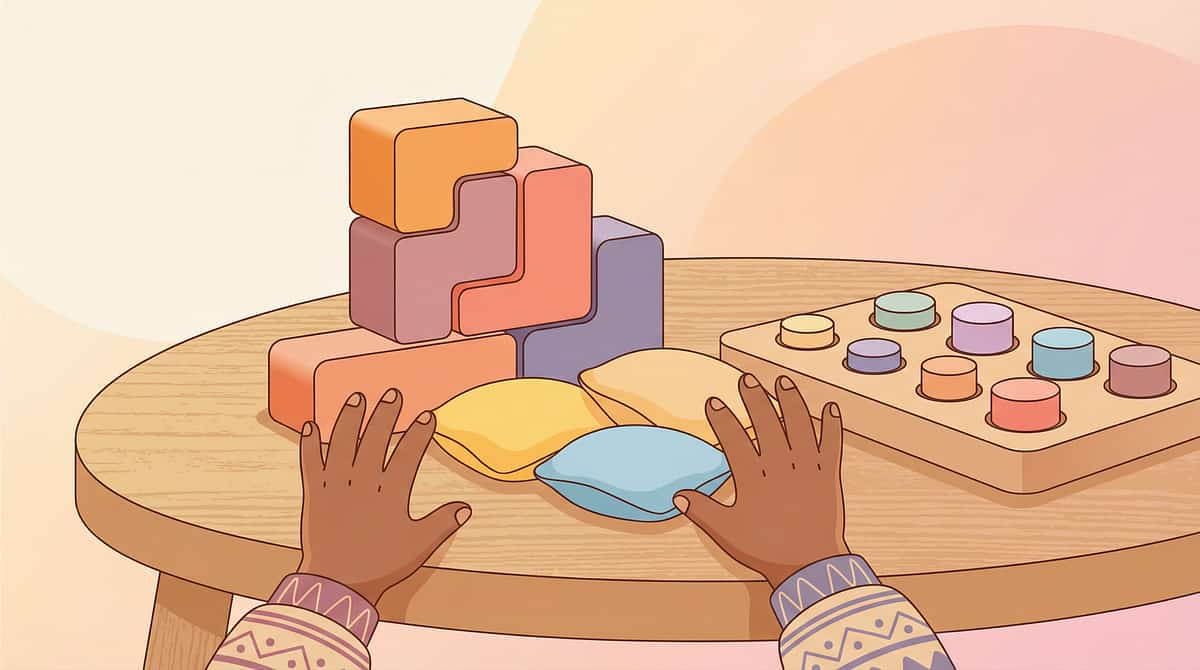
Visual Choice Overload Management
Parent-Friendly Name: "Making Choices Possible"
Visual Choice Overload Management is a structured environmental modification and skill-building approach that reduces the visual complexity of choice situations to match a child's current visual processing and executive function capacity. Rather than expecting the child to adapt to overwhelming visual environments, this approach adapts the environment to the child — then systematically builds the child's tolerance over time.
It uses 9 categories of materials and strategies spanning quantity reduction, presentation organisation, sequential processing, environmental simplification, structural supports, rehearsal practice, and gradual exposure. It is used by occupational therapists, board certified behaviour analysts, speech-language pathologists, special educators, and neurodevelopmental paediatricians as both a standalone intervention and as a component of broader sensory processing and executive function programmes.
Domain
Sensory Processing / Visual Processing
Age Range
2–10 years
Session Duration
10–20 minutes, daily
Level
Introductory — parent-led home implementation

Who Uses This Technique — Your Consortium Team
This technique crosses therapy boundaries because the brain doesn't organise by therapy type. Visual processing, executive function, communication, and behaviour interact in every choice moment. The consortium approach ensures all dimensions are addressed simultaneously.
Occupational Therapist (Primary Lead)
The OT leads visual choice overload intervention because it sits at the intersection of sensory processing and environmental modification. Your OT assesses your child's specific visual processing profile, designs the environmental modifications, selects appropriate materials, and sets the gradual exposure progression.
Board Certified Behaviour Analyst (BCBA)
The BCBA addresses the behavioural dimension: the freezing, avoidance, meltdowns, and rigid defaulting that are behavioural consequences of visual overwhelm. Using functional analysis, the BCBA designs reinforcement systems that build choice-making behaviour and structures data collection protocols.
Speech-Language Pathologist (SLP)
The SLP builds the expressive vocabulary and communication strategies that allow the child to participate actively in choice situations — to say "too many" or "help me choose" rather than shutting down silently.
Special Educator
The special educator adapts choice environments in academic settings — classroom bins, activity stations, lunch menus — ensuring that environmental modifications generalise beyond home. IEP accommodations for choice-making situations are coordinated through the special education framework.

What This Targets — Precision Therapeutic Goals
Observable Behaviour Indicators
Chooses from 2–3 options without freezing or distress
Tolerates increasing numbers of visual options over time
Uses environmental modification strategies independently
Participates in choice situations at school and in community settings
Communicates overwhelm verbally rather than through meltdown or shutdown
📚 PMC10955541 | Meta-analysis confirming multi-target efficacy of sensory integration therapy
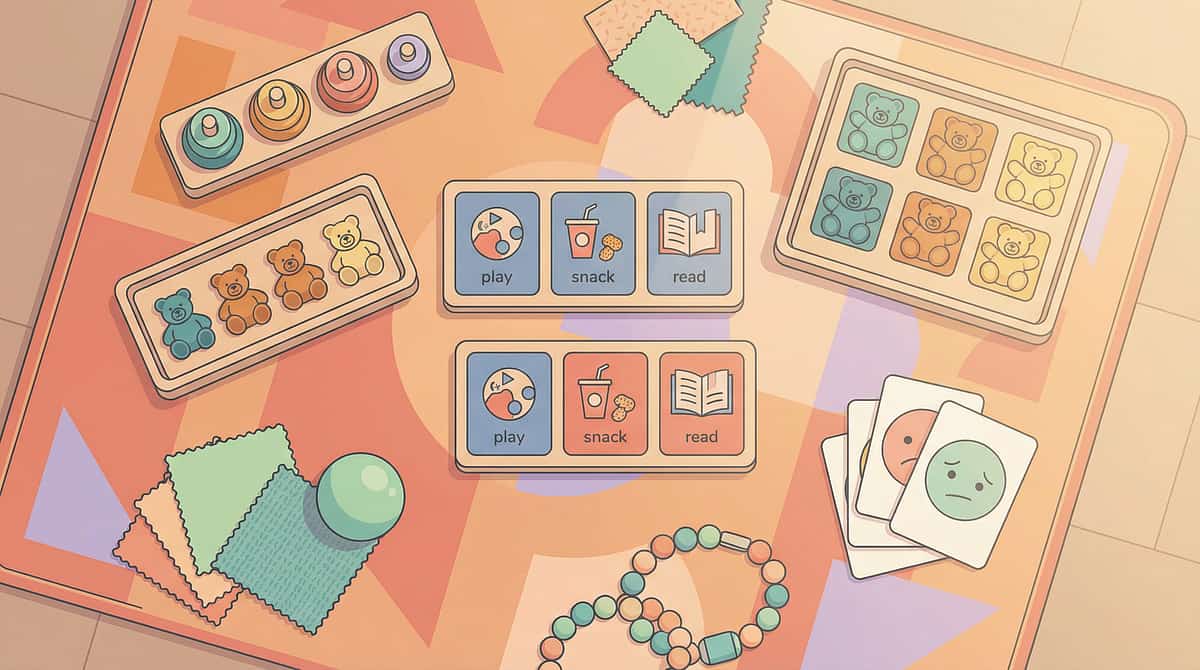
What You Need — Primary Materials
💡 The 9 materials in this technique range from ₹100–₹2,000 total. Most can be made at home with household items (see Card 10 for zero-cost DIY alternatives). You do not need to purchase everything — start with ONE material from the Essential Starters below.
Essential Starters — Begin Here
Material | Canon Category | Price Range | Example | |
Choice-Limiting Containers (opaque bins/baskets) | Sorting Activities / Categorisation | ₹200–₹500 | Lattooland Rainbow Sorting Activity Set (₹628) | |
Visual Choice Board | Choice Boards | ₹150–₹500 | Visual Schedule for Kids with Autism, Daily Routine Chart (₹389) | |
First/Then Board | First-Then Board | ₹200–₹400 | IVEI Kids Activity Calendar with Whiteboard & Pin Board (₹667) |
Full Material Set — Build Over Time
Material | Canon Category | Price Range | |
Sequential Reveal Systems (flipbooks/card decks) | Sequencing Cards / Pattern Activities | ₹100–₹800 | |
Category Reduction Materials (tiered organisers) | Sorting Activities / Categorisation | ₹200–₹1,200 | |
Visual Simplification Tools (neutral containers, labels) | Visual Supports for School | ₹300–₹2,000 | |
Comparison Reduction Tools (comparison mats) | Sorting Activities / Categorisation | ₹100–₹600 | |
Choice Rehearsal Materials (games, pretend menus) | Choice Boards | ₹200–₹1,500 | |
Gradual Exposure Choice Systems (adjustable displays) | Visual Schedule System | ₹100–₹800 |
✅ All materials mapped to the 128 Canon Materials taxonomy validated by the Pinnacle Blooms Consortium
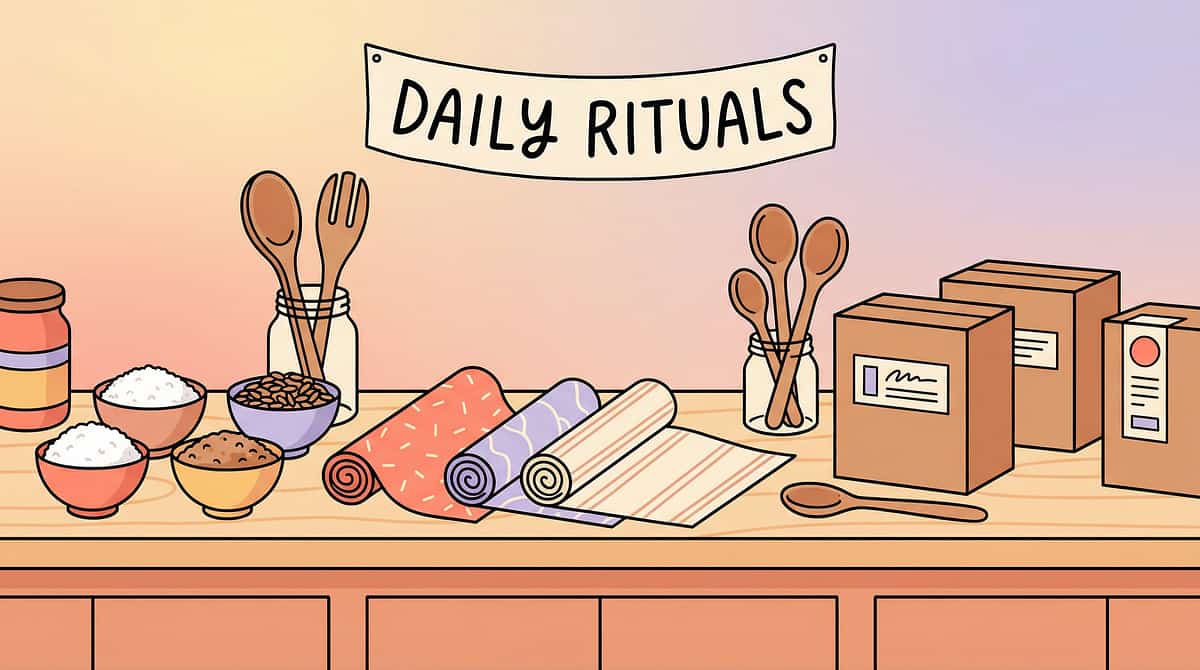
DIY & Zero-Cost Alternatives — Start Today With What You Have
"Every family deserves access to evidence-based intervention regardless of economic circumstances. The WHO Nurturing Care Framework emphasises that effective interventions must be implementable with locally available, low-cost, or no-cost materials. Every material below has a household substitute that works on the same therapeutic principle."
1. Choice-Limiting Containers
🛒Buy: Opaque storage bins (₹200–500)
🏠Make: Use any opaque container you already own — a cooking pot with a lid, a cardboard box, a cloth bag. Place only 3–5 toys in the visible "choice zone." Store others in a closed cupboard. The principle is reducing what's visible, not what's available.
2. Visual Choice Boards
🛒Buy: Velcro choice board (₹150–500)
🏠Make: Cut a piece of cardboard into a rectangle. Divide into 2–4 sections with a marker. Use small photographs or hand-drawn pictures of options attached with tape, glue, or safety pins. Swap photos for different choice situations.
3. Sequential Reveal Systems
🛒Buy: Ring-bound choice cards (₹100–800)
🏠Make: Stack 5–6 index cards. Draw or paste one option on each. Staple or bind with a string through a hole punch. Flip through one at a time — the child sees only one option per flip.
4. Category Reduction Materials
🛒Buy: Colour-coded sorting bins (₹200–1,200)
🏠Make: Use 3 different-coloured bags or boxes. Label each with a category picture (a drawn block for "building toys," a crayon for "art supplies"). Child chooses the bag first, then chooses from within.
5. Visual Simplification Tools
🛒Buy: Neutral-toned containers (₹300–2,000)
🏠Make: Wrap colourful bins in newspaper or brown paper. Remove original packaging from toys. Cover visually busy shelves with a plain bedsheet. The goal: reduce visual noise so the brain has less to filter.
6. First/Then Choice Supports
🛒Buy: First/Then Board (₹150–1,000)
🏠Make: Fold paper in half. Write "FIRST" on the left with a picture of the required activity. Write "THEN" on the right with 2 choice pictures. Structure transforms open-ended anxiety into contained choice moments.
7. Comparison Reduction Tools
🛒Buy: Comparison mat (₹100–600)
🏠Make: Place a large piece of paper on the floor. Draw a line down the middle. Place one option on each side. Winner stays. Next item replaces the loser — a tournament bracket on paper.
8. Choice Rehearsal Materials
🛒Buy: Choice-making board games (₹200–1,500)
🏠Make: Play "restaurant" with a hand-drawn 3-item menu. Play "which sticker?" with 2 stickers. Line up stuffed animals and let the child "choose for them." Any pretend choosing builds the neural pathways.
9. Gradual Exposure Choice Systems
🛒Buy: Adjustable choice displays (₹100–800)
🏠Make: Start with 2 items on the table. When your child chooses easily for 3 consecutive days, add one more item. Track on a simple chart. When consistently comfortable, add another. Your kitchen table is the exposure system.

⚠️ Safety First — Before You Begin
1
🔴 DO NOT PROCEED IF:
- Your child is in active distress, meltdown, or emotional dysregulation — wait until they return to a calm baseline
- Your child is ill, fatigued, hungry, or has had a recent meltdown within the past 30 minutes
- The choice situation involves safety-critical decisions (medication, crossing streets) — these require adult management
- You suspect the choice difficulty stems from vision problems (not visual processing) — consult an ophthalmologist first
2
🟡 PROCEED WITH MODIFICATION IF:
- Your child shows signs of mild resistance — reduce to 2 options only and use playful invitation, not demand
- Your child has had a difficult day — use the simplified version (Card 22) with maximum environmental support
- You are in a new or unfamiliar environment — choice tolerance may temporarily decrease in novel settings
- Your child is showing signs of broader sensory overwhelm — address the overall sensory state first
3
🟢 OPTIMAL CONDITIONS TO BEGIN:
- Child is fed, rested, and in a generally regulated emotional state
- Environment is relatively calm — not during transitions, parties, or high-stimulation events
- You have 10–20 minutes of uninterrupted time with materials prepared
- You are emotionally available and patient — your calm is your child's co-regulation resource
Critical Safety Principle: Reduction of visual choices should ALWAYS feel supportive, never punitive. Frame it as "choosing your favourites for today" — not "taking away your things." If the child perceives choice reduction as restriction, the emotional response will undermine the therapeutic benefit.
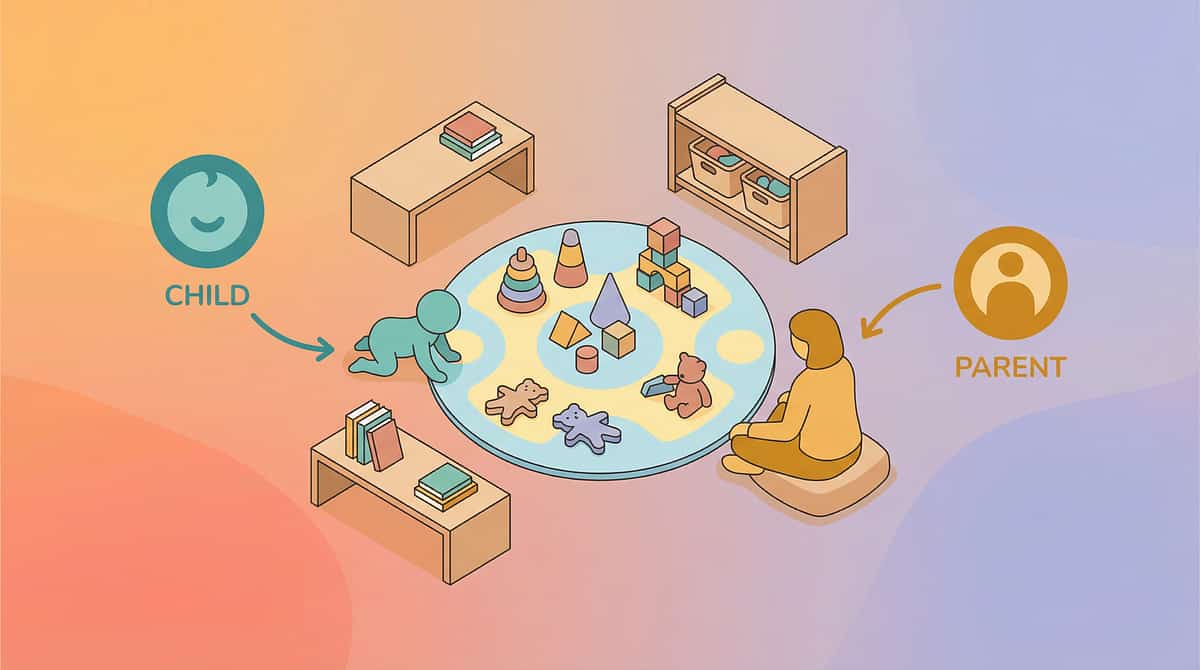
Set Up Your Space — Before You Begin

"80% of choice practice failures are environment failures. The child's visual processing system is already challenged by the choice task — don't ask it to also filter out a busy room. Create a visual oasis where the only visual work is the choice itself."
Environment Checklist
Child position: Seated at a small table or on the floor, facing choice materials — not a window or visually busy wall
Parent position: Seated beside or slightly behind the child — side-by-side reduces demand and supports co-regulation
Choice materials: Placed directly in front of the child on a neutral-coloured surface. Only offered materials are visible
Remaining options: Stored out of sight in a closed bin, behind the parent, or in another room
Visual calm zone: Cover busy shelves with a sheet. Turn off screens. Remove visual clutter from the child's line of sight
Lighting: Soft, indirect — natural light is ideal. Sound: quiet background, no TV or competing auditory input

Is Your Child Ready? — 60-Second Readiness Check
Before every session, run through this quick observable checklist. The best session is one that starts right — no parent should push through when the child or the parent isn't ready.
# | Indicator | ✅ or ❌ | |
1 | Child has eaten within the last 2 hours (not hungry) | ||
2 | Child has had adequate sleep (not visibly fatigued) | ||
3 | No meltdown or significant dysregulation in the past 30 minutes | ||
4 | Child is not currently ill, in pain, or physically uncomfortable | ||
5 | Child shows baseline engagement (making eye contact, responding to interaction, not withdrawn) | ||
6 | Environment is set up per Card 12 specifications | ||
7 | You (the parent) are emotionally regulated and have 10–20 minutes available |
All ✅ = GO
Begin with Step 1 — The Invitation (Card 14)
1–2 ❌ = MODIFY
Use the simplified version: 2 options only, 5-minute session, increased reinforcement, lower expectations — any choice attempt is success
3+ ❌ = POSTPONE
Engage in a preferred calming activity. Try again later today or tomorrow. Postponement is not failure — it's data about your child's current state

Step 1 — The Invitation
Duration: 30–60 seconds
Parent Script
"Hey [child's name], I have something for you. Look — I put some things here for you to choose. There aren't too many — just a few good ones. Want to come see?"
Body Language Guidance
- Sit beside the child, not across — side-by-side reduces demand feel
- Point to the choice materials casually, not urgently
- Smile — your face is the first thing they process before the choices
- Keep your voice light and playful — this is an invitation, not an instruction
What Acceptance Looks Like
- Child moves toward the materials
- Child looks at the options
- Child reaches toward any option (even briefly)
- Child says anything about the options ("what's that?" "I want...")
If the Child Resists
- Turns away → Don't pursue. Place one item near them silently. Wait.
- Says "no" → "That's okay. They'll be here when you're ready."
- Approaches but freezes → Reduce to 2 options immediately: "Just these two. Which one?"

Step 2 — The Engagement
Duration: 1–3 minutes
How to Present the Choice
Present the choice materials at the child's eye level. Space options at least 6 inches apart so they are visually distinct. If using a choice board, point to each option one at a time while naming it: "Here's the blocks... here's the crayons... here's the puzzle."
Naming Pace: Name each option slowly — 2 seconds per option. Pause between names. This sequential verbal labelling supports the visual system: it tells the eyes where to focus.
Reinforcement Cue
The moment the child shows ANY engagement with the options — looking, reaching, pointing, naming — offer immediate, specific verbal praise: "You're looking at them! That's great choosing."
Child Response Indicators
🟢 Engagement (Ideal)
Child looks at options, reaches for one, names one, or points to one
🟡 Tolerance (Acceptable)
Child stays present, looks at options without choosing, doesn't show distress — they're processing
🟠 Avoidance (Modify)
Child looks away, tries to leave, says "I don't know," whines or shows frustration — reduce to 2 options immediately

Step 3 — The Choice Moment
Duration: 1–5 minutes (varies by child)
This is the moment where the child makes a choice from the presented options. The therapeutic action is NOT the choice outcome — it's the process of choosing. The child scanning, considering, reaching, deciding — this is the neural pathway being built.
Parent Scripts During the Choice Process
"Take your time. Look at each one. Which one do you want right now?"
"Point to the one your eyes like. Don't worry — there's no wrong answer."
"It's hard to pick! Both are good. Which one do you want FIRST? You can have the other one later."
Common Execution Errors
- ❌ Rushing the child ("Just pick one!") → ✅ Wait silently. Choosing takes processing time.
- ❌ Choosing for the child after they hesitate → ✅ Reduce options instead of choosing for them.
- ❌ Adding commentary about which is "better" → ✅ All options are equal — no guidance toward a "right" answer.
- ❌ Offering too many options too soon → ✅ If the child freezes, immediately remove options until they don't freeze.
Child Response Spectrum
🟢 Ideal
Child points, reaches, or names a choice within 30 seconds of presentation
🟡 Acceptable
Child takes 1–3 minutes but eventually chooses without distress
🟠 Monitor
Child takes over 3 minutes, shows mild frustration but eventually chooses
🔴 Concerning
Child freezes completely, melts down, or tries to leave — reduce options immediately or end session gently (not failure — data)

Step 4 — Repeat & Vary
Duration: 3–5 minutes total
Target: 3–5 choice opportunities per session
How to Repeat Without Boredom
- After the first choice, let the child engage with the chosen item for 2–3 minutes
- Then offer a new choice set: "Time to pick your next activity. Here are your options."
- Vary the options across repetitions — don't present the same 3 items each time
- Vary the domain: one choice about toys, one about snacks, one about where to sit
Satiation Indicators — When to Stop
- Choosing becomes random or careless (grabbing without looking)
- Engagement time with chosen items drops significantly
- Child says "I don't want to pick anymore"
- General restlessness or attention shifting away from the activity
"3 good reps are worth more than 10 forced reps. The neural pathway builds through quality choosing experiences, not quantity."
Variation Options to Maintain Engagement
Change the choice domain — toys → snacks → activities → books
Change the presentation method — choice board → sequential flip → side-by-side
Change the number of options within the child's comfort zone — if they handle 3, occasionally try 4
Change the setting — table → floor → standing at shelf → outdoor

Step 5 — Reinforce & Celebrate
⏱️ Within 3 seconds of the child making a choice
Reinforcement Scripts — Exact Words to Use
"You chose! You looked at your options and you picked one. That's amazing choosing!"
"You took your time and figured out what you wanted. That's really smart."
"That was faster today! Your choosing muscles are getting stronger!"
"You looked at all of them. You were really thinking. That's choosing starting to happen."
Reinforcement Rules
Praise the ACT of choosing, not the item chosen — say "Great job choosing!" not "Good choice picking the blocks"
Be immediate — within 3 seconds of the choice being made
Be specific — name what you saw: "You looked at all three and then pointed to the one you wanted"
Be genuine — your tone matters more than your words
Never criticise the choice — any choice is therapeutic success

Step 6 — The Cool-Down
Duration: 1–2 minutes
Transition Warning Script
"Two more choices, then all done choosing for now."
"All done! You did so many great choices today."
Cool-Down Activity (1–2 minutes of visual rest)
- Looking at a single favourite picture book
- Playing with a single chosen toy in a quiet corner
- Lying on a beanbag or cushion with eyes closed
- Gentle deep pressure — a firm hug or weighted blanket moment
- Sitting together quietly
Material Put-Away Ritual
If the child is able, involve them in putting the choice materials away: "Let's put the choice board away for tomorrow. Can you close the bin?" This creates closure and predictability.
What to Do if the Child Resists Ending
- Wants to keep choosing: "You love choosing! We'll do more tomorrow. For now, let's [next activity]."
- Upset that chosen items must be put away: "You chose the blocks, and you can play with them! The choice board goes away, but your chosen toy stays."

Capture the Data — Right Now (60 Seconds)
Within 60 seconds of session end, record these 3 data points. "60 seconds of data now saves hours of guessing later. Your data is what transforms this from 'we're trying something' to 'we're seeing measurable progress.'"
Data Point | How to Record | Example | |
Number of options presented | Simple number | "Started with 3, reduced to 2" | |
Choice outcome | Chose / Froze / Meltdown / Walked away | "Chose on 4 of 5 opportunities" | |
Time to choose | Quick (<30 sec) / Medium (30 sec–2 min) / Long (>2 min) / Did not choose | "Quick on 3, Medium on 1, Long on 1" |
Tracking Methods
1
📱 GPT-OS® In-App Tracker
If enrolled in the Pinnacle programme → pinnacleblooms.org/tracker
2
📄 Downloadable PDF
Printable tracking sheet with all 3 fields pre-formatted for daily session recording
3
📝 Simple Notebook
Date | # Options | Chose Y/N | Time | Notes — any notebook works. Consistency matters more than format.

What If It Didn't Go as Planned?
Problem 1: Child froze even with only 2 options
Common in the first few sessions. Present 1 option and 1 empty space. "Here's the blocks. Or nothing. What do you want?" When they choose the single item, that's still a choice. Build from there.
Problem 2: Child melted down during the choice moment
The overwhelm threshold was crossed. Next session: reduce options by 1, increase environmental simplification, and ensure the readiness check (Card 13) shows all green. If meltdowns persist at 2 options, seek a professional OT assessment.
Problem 3: Child always picks the same thing
Rigid choosing IS choosing — it's the brain's strategy for avoiding the overwhelm of comparison. Don't fight it. Celebrate the choice. Over weeks, the child will begin exploring as their choice tolerance builds. Forced variation undermines trust.
Problem 4: Child refuses to participate at all
Place 2 items near the child without any verbal instruction. Don't say "choose." Just place them and wait. When the child picks one up naturally, say "You chose that one! Nice." — backdoor choosing.
Problem 5: Session went great but child still freezes at the grocery store
Generalisation takes time. Home practice builds the foundation. For now, continue home practice while using environmental modifications in public settings — pre-choosing cereals from photographs taken at home, using phone photos as a portable choice board.
Problem 6: Parent ran out of patience
You are human. If you feel yourself becoming impatient, end the session with praise for whatever happened: "You practised choices today. Great job." Walk away. Come back tomorrow. Your regulated state is more important than any specific session outcome.
Problem 7: Siblings interfere or choose for the child
Brief siblings: "Right now, [child's name] is practising choosing. Let them take their time." If possible, practise during sibling-free windows. If siblings must be present, give them their own parallel choice task.
"Session abandonment is not failure — it's data. Every outcome teaches you something about your child's current threshold. Adjust and return."

Adapt & Personalise — No Two Children Are Identical
Level | Options | Presentation | Environment | Support | |
Easiest | 1 item vs. nothing | Sequential (1 at a time) | Maximum visual calm | Full parent guidance | |
Easy | 2 items | Sequential or side-by-side | Simplified environment | Parent names options | |
Medium | 3 items | Choice board | Moderate visual calm | Parent available but quiet | |
Advanced | 4–5 items | Open display | Normal home environment | Child uses strategies independently | |
Mastery | 5+ items | Unmodified shelf/menu | Real-world settings | Self-monitoring and self-advocacy |
Sensory Avoider vs. Sensory Seeker
Sensory Avoider
Overwhelmed by visual input. Prioritise visual simplification (Material #5), neutral containers, and gradual exposure (Material #9). Start with the absolute minimum visual input. Progress slowly.
Sensory Seeker
Drawn to all visual stimuli equally — everything is equally exciting. Prioritise category reduction (Material #4) and comparison reduction (Material #7) to channel their interest.
Age-Based Modifications
Ages 2–3: Use real objects, not pictures. 2 options maximum. Parent physically arranges all materials. Session length: 5 minutes.
Ages 4–6: Can use picture cards and choice boards. Tolerate 2–4 options. Begin involving child in setup. Session length: 10–15 minutes.
Ages 7–10: Can use complex systems — category reduction, comparison brackets. May begin using strategies independently. Session length: 15–20 minutes.

Week 1–2: What to Expect
Progress: Week 1–2
Observable Indicators at This Stage
Child tolerates the choice setup without immediately walking away or melting down
Child can choose from 2 options with reduced hesitation — even if they still freeze with 3+
Session length increases from 2–3 minutes to 5–8 minutes
Child begins to associate the choice materials with positive experiences — approaches rather than avoids
What "Progress" Actually Looks Like
Progress at Week 1–2 is NOT "my child can now choose from a full toy shelf." Progress looks like: the child sat at the choice table for 5 minutes without distress. The child pointed to an option after 45 seconds instead of 3 minutes. The child approached the choice board voluntarily for the first time. These are real neurological adaptations.
15%
Progress Stage
Foundation building — neural pathways forming before visible behaviour change
"If your child tolerates the choice setup for 30 seconds longer than last week — that is real progress. Neural pathways build in increments, not leaps. The progress is subcortical — it's happening in your child's brain before it appears in their behaviour."

Week 3–4: Consolidation Signs
Progress: Week 3–4
Consolidation Indicators
Child begins to anticipate choice time with neutral or positive affect
Time-to-choose decreases measurably — your data shows the trend
Child can now handle 3 options where they previously froze at 2
Child begins using language around choices: "I want this one," "Show me the other one"
First signs of strategy use: child may cover or push away options they don't want — self-simplification
When to Increase
If your child consistently (3+ consecutive sessions) chooses from N options without freezing, distress, or prolonged hesitation, increase to N+1 options. Never jump by more than 1 option at a time.
"You may notice you're more confident too. Your ability to set up the environment, read your child's signals, and adjust in real-time has been building alongside their choosing skills."
40%
Progress Stage
Consolidation — neural pathways strengthening, behavioural patterns emerging visibly

Week 5–8: Mastery Indicators
Progress: Week 5–8
Mastery Criteria — Specific, Observable, Measurable
Child chooses from 4–5 options within 30 seconds without distress in the home environment
Child uses at least one self-selected strategy independently — covers options, asks for fewer, uses sequential looking
Child can make choices in at least one setting beyond home — school, relative's house, or familiar store
Choice-related meltdowns have decreased by 50%+ from baseline
Child can verbalise overwhelm: "Too many" or "Help me pick" instead of shutting down
"Mastery does not mean your child can walk into a toy megastore and choose effortlessly. It means they have strategies that work, environments that support them, and confidence that choosing is possible."
75%
Progress Stage
Functional mastery — strategies generalising across settings with increasing independence

🎉 Celebrate This Win
"Your child grew because of your commitment. This is not therapy happening TO your child — this is therapy powered BY your family."
Five to eight weeks ago, your child stood frozen in front of a toy shelf. Today, they point to what they want. They ask for "just two choices." They flip through a choice card deck and pick their afternoon activity. You created that transformation.
You set up the space. You reduced the visual noise. You sat beside them — patiently, calmly, session after session — while their brain built the pathways that make choosing possible. You recorded the data. You adjusted when things didn't work. You came back the next day when yesterday's session was a disaster.
🎉Family Celebration Suggestion: Mark this milestone. Let your child choose — from 3 options! — a celebration activity. Document it. Take a photo. Write the date. This is a developmental milestone as real as any first word or first step.

🚩 Red Flags — When to Pause and Seek Professional Support
Trust your instincts. If something feels wrong, pause and ask. You know your child better than any protocol.
🚩 No progress after 4 weeks of consistent daily practice
Zero improvement in choice-making capacity despite environmental modification and gradual exposure. May indicate a more complex visual processing or executive function profile requiring professional assessment.
🚩 Choice situations consistently trigger severe meltdowns
Self-injury, prolonged inconsolable crying, or aggression. The overwhelm may be part of a broader sensory processing disorder requiring comprehensive OT evaluation.
🚩 Visual processing challenges extend beyond choice situations
Also struggles with reading, recognising faces, tracking moving objects, or navigating spaces. Warrants a comprehensive visual processing evaluation.
🚩 New behaviours emerge during the intervention period
Increased anxiety, sleep disruption, behavioural regression, or loss of previously acquired skills require professional evaluation.
🚩 Executive function challenges extend significantly beyond choosing
Difficulty with planning, organisation, task initiation, and emotional regulation across all domains suggests a comprehensive neuropsychological evaluation may be warranted.
🚩 You suspect vision problems — not visual processing
Squinting, holding objects very close, tilting head, inconsistent visual performance — consult an ophthalmologist before continuing visual processing intervention.
🟢 Self-Resolve
Adjust technique using Card 22
🟡 Teleconsult
Virtual session with Pinnacle therapist
🔴 In-Person
Clinic assessment at nearest Pinnacle centre

The Progression Pathway — Where You're Going
This technique feeds into Environmental Independence — the ability to function in unmodified, naturally occurring visual environments with self-selected strategies and self-advocacy skills. If you purchased or created the 9 materials from this technique, you already have the core materials needed for A-067, A-068, and A-072.
→ If Choice Overload is Reducing
A-072: Child Has Difficulty with Transitions — choice-making intersects with transition management
→ If Broader Executive Function is the Challenge
A-085: Child Has Executive Function Challenges — visual choice is one component of a larger pattern
→ If Community Environments Remain Difficult
A-090: Child Gets Overwhelmed in Stores — environmental generalisation techniques for real-world settings

Related Techniques in Sensory Processing
If you purchased or created the 9 materials from this technique (A-069), you already have the core materials needed for A-067, A-068, and A-072. The Pinnacle system is designed so that each technique investment compounds across your entire library.
Technique | Description | Difficulty | Key Material | |
A-067 | Child Sensitive to Visual Clutter | Introductory | Visual Simplification Tools | |
A-068 | Child Avoids Visually Busy Environments | Introductory | Environmental Modification Kits | |
A-072 | Child Has Difficulty with Transitions | Core | Visual Schedule System | |
A-085 | Child Has Executive Function Challenges | Advanced | Category Reduction Materials | |
A-090 | Child Gets Overwhelmed in Stores | Advanced | Portable Choice Boards |

Your Child's Full Developmental Map
Integration Statement
Visual Choice Overload Management is one piece of your child's developmental puzzle. Visual processing capacity affects communication (choosing words), social interaction (choosing playmates), daily living (choosing clothes and food), and academic readiness (choosing from classroom options).
The GPT-OS® system maps these interconnections so that progress in one domain accelerates progress across all domains. No domain exists in isolation — the brain integrates all of them simultaneously.

Families Who've Been Here
Family Story 1 — The Cereal Aisle Victory
Before: Ananya (age 5) would scream in the cereal aisle of every grocery store. Her mother stopped taking her shopping entirely. At home, she could stand in front of her toy shelf for 15 minutes without choosing anything. Her parents assumed she was "just being stubborn."
After (8 weeks): Using choice-limiting containers at home and a phone-based photo choice board for stores, Ananya now picks her cereal from 3 pre-photographed options before leaving home. At her toy shelf (now organised into 3 category bins), she chooses within 30 seconds.
"The cereal aisle was our biggest challenge. Now, it's a moment of confident choice."
Family Story 2 — The Morning Routine Transformation
Before: Ravi (age 7) took 45 minutes to get dressed every morning because opening his closet was "too much." His parents laid out clothes for him every night, which he resented because he wanted to choose but couldn't.
After (6 weeks): Using a visual simplification approach — neutral hangers, clothing grouped by type, a 3-option choice board hung inside the closet door — Ravi now selects his own outfit in under 5 minutes. He designed his own category system: "school clothes," "play clothes," "special clothes."
"He went from hating his closet to organising it himself. The pride in his eyes is worth everything."
"In both cases, the children had strong preferences and excellent decision-making ability. What they lacked was a visual environment that matched their processing capacity. Once we modified the environment, the capability that was always there could finally express itself." — Pinnacle Blooms OT Clinical Team

Connect With Other Parents
Your isolation ends here. Thousands of families across India and globally navigate visual choice overload every single day. Connecting with them accelerates your learning, sustains your motivation, and gives your child access to an extended support network. "Your experience helps others. Consider sharing your journey — the materials that worked, the modifications you discovered, the progress your child made. Every shared strategy strengthens every family."
Pinnacle Parents WhatsApp Community
Join the Sensory Processing Support Group — real-time peer support, strategy sharing, and encouragement from families walking the same path.
Online Forum
Visual Processing & Choice Strategies discussion thread — deep dives, therapist Q&A, and a searchable archive of family experiences.
Local Pinnacle Parent Meetups
Find families near your Pinnacle centre — in-person connection, shared resources, and community-level advocacy for better sensory-informed environments.
Peer Mentoring
Connect with an experienced parent who has navigated this exact challenge — someone who has lived the cereal aisle meltdowns and the frozen-at-the-closet mornings, and come out the other side.

Your Professional Support Team — 70+ Centres Across India
Home-based intervention works best when supported by professional guidance. The Pinnacle Blooms Network provides the professional layer that ensures your home practice is correctly calibrated, appropriately progressed, and safely monitored.
🗺️ Find Your Nearest Pinnacle Centre
Interactive Centre Locator → pinnacleblooms.org/centers
🖥️ Teleconsultation for Remote Families
Book a virtual OT consultation from anywhere in India → pinnacleblooms.org/consult
📞 FREE National Autism Helpline
9100 181 181 — Available 24x7 | 16+ languages | No appointment needed
"Home + Clinic = Maximum Impact. Your daily practice builds the foundation. Professional guidance ensures precision. This technique's primary discipline lead is Occupational Therapy — request matching with an OT specialising in sensory processing and visual processing for the most targeted support."
70+
Centres Across India
20M+
Therapy Sessions Logged

The Research Library — For the Curious Parent
Key Studies Supporting This Technique
1
📚 PRISMA Systematic Review — Children, 2024
16 studies, 2013–2023. Confirms evidence-based practice status for sensory integration intervention including environmental modification. → PMC11506176
2
📚 Meta-Analysis — World Journal of Clinical Cases, 2024
24 studies. Demonstrates efficacy in social skills, adaptive behaviour, sensory processing, and motor skills. → DOI: 10.12998/wjcc.v12.i7.1260
3
📚 Indian RCT — Indian Journal of Pediatrics, 2019
Home-based sensory intervention RCT in Indian paediatric population with established safety protocols. → DOI: 10.1007/s12098-018-2747-4
4
📚 WHO Nurturing Care Framework, 2018
Global framework for responsive caregiving and early childhood development. → nurturing-care.org
5
📚 WHO CCD Package Implementation, 2023
Caregiver-delivered developmental support across 54 countries. → PMC9978394
6
📚 Frontiers in Integrative Neuroscience, 2020
Framework for evaluating sensory integration/processing treatment in ASD. → DOI: 10.3389/fnint.2020.556660

How GPT-OS® Uses Your Data
What GPT-OS® Learns From This Technique
- Your child's current visual choice tolerance threshold — how many options before overwhelm
- Rate of tolerance expansion over time — how quickly capacity is building
- Which material categories are most effective for your child's specific profile
- Environmental factors that correlate with better/worse sessions
- Optimal session timing, duration, and frequency patterns
Privacy and Data Protection
- All data is encrypted and stored in compliance with Indian data protection regulations
- Your data is never sold or shared with third parties
- Anonymised, aggregated data improves recommendations for all families
- You can request data deletion at any time through pinnacleblooms.org/privacy
"Your data helps every child like yours. Every session you record contributes to the largest paediatric therapy outcome dataset on Earth — 20M+ sessions and growing."

Watch the Reel — A-069: 9 Materials That Help With Too Many Visual Choices
Series
Sensory Solutions Series
Episode
69 | Domain A – Sensory Processing / Visual Processing
Duration
60 seconds — shareable, mobile-first format
This 60-second Reel introduces the 9 materials in a visual, shareable format designed for social media. Watch it, share it with families who need it, and return here for the full implementation guide.
Presented by: Pinnacle Blooms OT Clinical Team
Powered by: GPT-OS® Therapy Intelligence

Share This With Your Family
If only one caregiver implements this technique, its impact is limited. When every caregiver in the child's life understands and applies the same strategies, the effect multiplies. Consistency across caregivers multiplies impact. When grandparents, teachers, babysitters, and both parents use the same choice-simplification strategies, the child's brain receives consistent signals — and adapts faster.
Share Options
📱Share via WhatsApp — one tap, reaches your entire parent network instantly
📧Share via Email — send the full page link to co-parents, grandparents, or your child's teacher
🔗Copy Link → techniques.pinnacleblooms.org/sensory-processing/visual-choice-overload-materials
Downloadable Resources
📄 Family Guide PDF
1-page simplified version for all caregivers — the essential do's, don'ts, and scripts
👴 "Explain to Grandparents" Version
Simplified further with clear do's and don'ts in plain, accessible language
🏫 Teacher Communication Template
Letter for your child's school explaining the environmental modifications needed for the classroom
📚 WHO CCD Package: Multi-caregiver training as critical for intervention generalisation | PMC9978394

Frequently Asked Questions
Will reducing choices make my child less independent?
The opposite. A child paralysed by 30 options has zero independence. A child who can choose from 3 options has functional independence. You are building independence by making it achievable. As tolerance grows, the number of options increases — and independence expands with it.
How long will my child need environmental modifications?
It varies. Some children internalise choice strategies within 3–6 months and can function in unmodified environments. Others maintain some level of environmental preference indefinitely — and that's completely functional. Many adults prefer organised closets and curated menus. Your child may always prefer structure, and that's a strength.
My child is fine at school but freezes at home. Why?
School environments are often more structured by default — curated activity stations, limited material access, teacher-directed choices. Home may actually be the more visually complex environment. Apply school's natural structure principles at home: fewer visible options, category organisation, and guided choice moments.
Can I use this approach for a child without a diagnosis?
Absolutely. Visual choice overload is a dimensional challenge, not a categorical one. Many children without any diagnosis benefit from environmental simplification and structured choice strategies. If the strategies help, use them.
Should I use screens/tablets for choice boards instead of physical materials?
Physical materials are preferred for younger children (under 6) because they involve tactile manipulation that supports learning. For older children, tablet-based choice boards can work well — but ensure the digital interface is visually simple, not a cluttered app with ads and animations. The screen itself can become visual noise.
My spouse thinks I'm "babying" our child by simplifying choices. How do I explain?
Share Card 03 (What's Happening in Your Child's Brain) and Card 05 (The Evidence). This is not babying — it is a clinically validated environmental modification supported by systematic reviews and meta-analyses. You wouldn't hand a child with a broken arm a heavy bag. You don't present a child with visual processing differences an unfiltered visual environment.
What's the difference between visual choice overload and ADHD?
They can co-occur and share surface similarities. Key distinction: ADHD-related choice difficulty is driven by attention regulation (can't sustain focus on the decision process), while visual choice overload is driven by sensory processing (can't filter the visual input). Many children have both. Professional assessment can differentiate.
Is this covered by insurance?
OT sessions for sensory processing evaluation and intervention planning are increasingly covered by health insurance in India. The home-based materials and strategies themselves are self-funded but very low cost (₹100–2,000 total). Contact your insurance provider or call the Pinnacle helpline (9100 181 181) for guidance.

Your Next Step — Start Now
You have the knowledge. You have the materials — or can make them today. Your child is waiting for a world where choices feel possible, not paralysing.
🟢 Start This Technique Today
Launch a guided choice practice session using the steps in Cards 14–19. Your first session needs only 2 items, a clear table, and 10 minutes.
🔵 Book a Consultation
Connect with a Pinnacle OT specialising in sensory processing and visual choice overload. Call FREE: 9100 181 181 (24x7, 16+ languages)
🟣 Explore the Next Technique
Continue building your child's sensory processing toolkit with the progression pathway beginning at A-072.
✅ Validated by OT · SLP · BCBA · SpEd · NeuroDev · CRO
Preview of 9 materials that help with too many visual choices Therapy Material
Below is a visual preview of 9 materials that help with too many visual choices therapy material. The pages shown help educators, therapists, and caregivers understand the structure and content of the resource before use. Materials should be used under appropriate professional guidance.


Share this resource
Help others discover thisLink copied!

The Pinnacle Promise
"From fear to mastery. One technique at a time."
You arrived on this page overwhelmed by your child's overwhelm. You leave with 9 evidence-based materials, a 6-step protocol, a progress roadmap, and a community of families walking the same path. Your home is now a therapeutic environment. Your daily routines are now intervention opportunities. Your data drives your child's personalised developmental trajectory.
This is the Pinnacle GPT-OS® at work — from diagnosis to daily practice to measurable outcomes. One system. One family. One technique at a time.
1
Centres Across India
Serving families from 70+ countries
2
Therapy Sessions
The largest paediatric therapy outcome dataset on Earth
3
Measured Improvement
Across families using the GPT-OS® system consistently
Pinnacle Blooms Network® Consortium
CRO | OT | SLP | BCBA | SpEd | NeuroDev Pediatrics
Medical Disclaimer: This content is educational. It does not replace assessment by a licensed occupational therapist, developmental specialist, or healthcare provider. Persistent visual processing or executive function challenges should be evaluated comprehensively. Individual results may vary.
Navigation:Explore More Techniques | Next Recommended Technique: A-072
© 2025 Pinnacle Blooms Network®, unit of Bharath Healthcare Laboratories Pvt. Ltd. All rights reserved.